
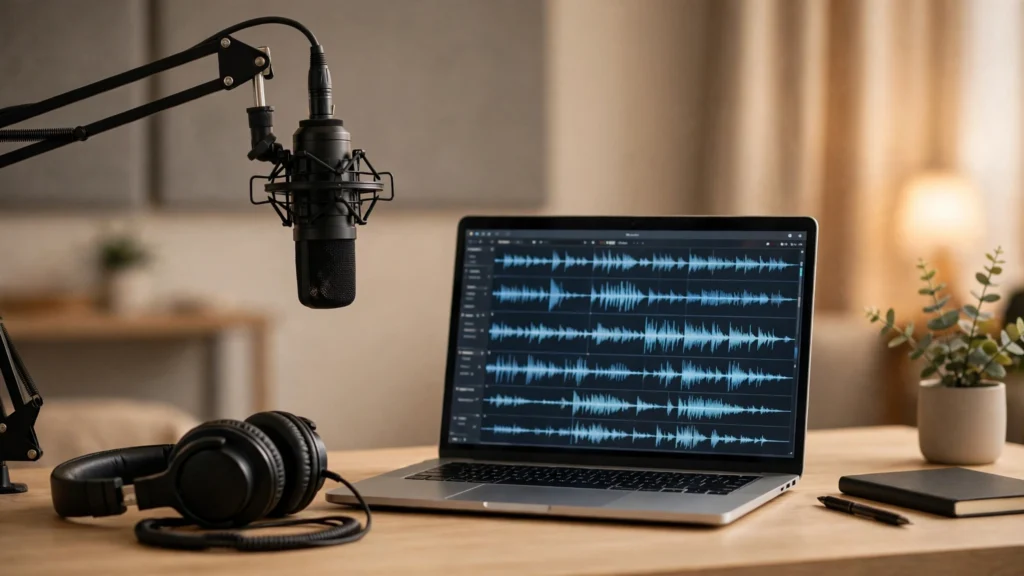
Starting a podcast is easy. Finishing one every week is the hard part. Editing out the pauses, writing show notes, cutting clips for social media and levelling the audio can take longer than recording the episode itself. That is where the best free ai tools for podcasters 2026 has to offer earn their place: they take over the repetitive jobs so you can spend your time on the conversation, not the cleanup.
Every tool below has a genuine free tier, not just a short trial, and each one uses AI for a different part of the workflow — editing, audio cleanup, show notes, or promotion. No single tool does everything well, so think of this as building a small toolkit rather than finding one magic app.
How to compare the best free ai tools for podcasters 2026
Start with the free-tier limit that matters to you. Some tools limit you by minutes of audio per month, others by the number of episodes, and some watermark your exports until you pay. If you publish weekly, a monthly minute allowance disappears fast — count your episodes before you pick a tool.
Next, match the tool to your weakest step. If editing takes you hours, an editor that works from a transcript will save you the most time. If your recordings sound echoey, an audio enhancer matters more. And if nobody finds your show, a clip maker that turns episodes into short videos is the better investment. Finally, check where your finished files go: the tool should export standard audio your hosting platform accepts. For distribution, Spotify for Podcasters is a free way to get your show listed on a major platform once your audio is ready.
1. Descript
Descript lets you edit audio by editing a transcript. Delete a sentence from the text and it disappears from the audio. It also removes filler words like “um” and “uh” in one click, which is the single biggest time-saver for new podcasters.
Best for: beginners who dread traditional audio editing and want the fastest path from recording to finished episode.
Free tier: a limited amount of transcription and editing time per month, with basic publishing and one project. Limits change often, so check the pricing page before you commit.
AI features: automatic transcription, filler-word removal, and a voice-cloning style feature that lets you fix a flubbed word by typing the correction.
Watch out: the free allowance runs out quickly on long episodes, and the transcript editor feels strange until you get used to it.
2. Adobe Podcast
Adobe Podcast is a web tool built around one job: making bad recordings sound good. Its Enhance Speech feature removes background noise and echo from a recording, which is a lifesaver if you record in an untreated room or on a basic microphone.
Best for: podcasters whose recordings sound echoey, noisy, or recorded on a phone.
Free tier: a limited amount of enhanced audio per month, with the studio tool for recording and editing in the browser.
AI features: speech enhancement that separates your voice from room noise, plus automatic mic checks before you record.
Watch out: it fixes audio quality, not content — you still need an editor for cuts and structure, and heavy enhancement can make voices sound slightly unnatural.
3. Auphonic
Auphonic is an audio post-production service that levels your volume, removes noise and hum, and masters your episode to the loudness standard podcast platforms expect. You upload a file and get back a polished one.
Best for: podcasters who want consistent, professional-sounding volume across episodes without learning audio engineering.
Free tier: a small number of free processing hours per month, which suits a short weekly show. Limits change often, so confirm them first.
AI features: automatic loudness normalisation, noise and hum reduction, and filler-word cutting in the transcript editor.
Watch out: it is a finishing tool, not an editor — record and cut first, then send the finished file to Auphonic for polish.
4. Riverside
Riverside records each guest locally in high quality, so a bad internet connection does not ruin your audio. It also transcribes the recording and generates show notes and clips, which covers the two jobs new podcasters usually skip.
Best for: interview podcasts with remote guests, where recording quality and show notes matter most.
Free tier: a limited number of recording hours per month with separate audio and video tracks, plus basic AI show notes.
AI features: automatic transcription, AI-generated show notes and episode summaries, and short clip suggestions for social media.
Watch out: the free plan is tight for weekly interviewers, and the full editing tools sit on paid plans.
5. Castmagic
Castmagic turns one audio file into a whole content kit: show notes, timestamps, a title, social posts, and even a newsletter draft. If writing the episode description is the part you always put off, this is the tool for that job.
Best for: podcasters who publish consistently but never write proper show notes or promote episodes.
Free tier: free access is limited, so check whether the current offer is a trial or a free plan for your region. Paid plans start low, making it a realistic next step.
AI features: AI show notes with timestamps, titles, quotes, and ready-to-post social media drafts from a single upload.
Watch out: the AI output needs a human pass — check names, facts, and timestamps before you publish anything it writes.
6. Headliner
Headliner turns audio clips into shareable videos with captions, waveforms, and images — the format that actually gets seen on social media. An audiogram is still one of the cheapest ways to promote an episode.
Best for: podcasters who want to promote episodes on Instagram, YouTube Shorts, and X without editing video.
Free tier: a limited number of watermark-free videos per month, with caption templates and basic editing tools.
AI features: automatic captions, clip suggestions from your episode, and templates that resize one clip for every platform.
Watch out: free videos can carry limits on length and monthly count, so batch your clips instead of making them one at a time.
Which one should you pick?
There is no single winner among the best free ai tools for podcasters 2026 offers — the right mix depends on your bottleneck. If editing eats your weekend, start with Descript. If your room sounds bad, Adobe Podcast first. If your show notes never get written, add Castmagic. Most podcasters end up with two or three free tools, each doing one job well, and that is a perfectly good setup.
Whatever you choose, record your next episode this week and publish it. A show with ten imperfect episodes beats a perfect show that never launches. To plan your show’s format, read our roundup of best AI podcast generators, and for turning episodes into text, see our guide to best AI transcription tools. If podcasting becomes a side income, our guide on how to earn money as a podcast editor shows the skills that pay, and our list of best AI voice generators covers narration tools for intros and ads. Pick one tool, use it on your next episode, and build from there.

