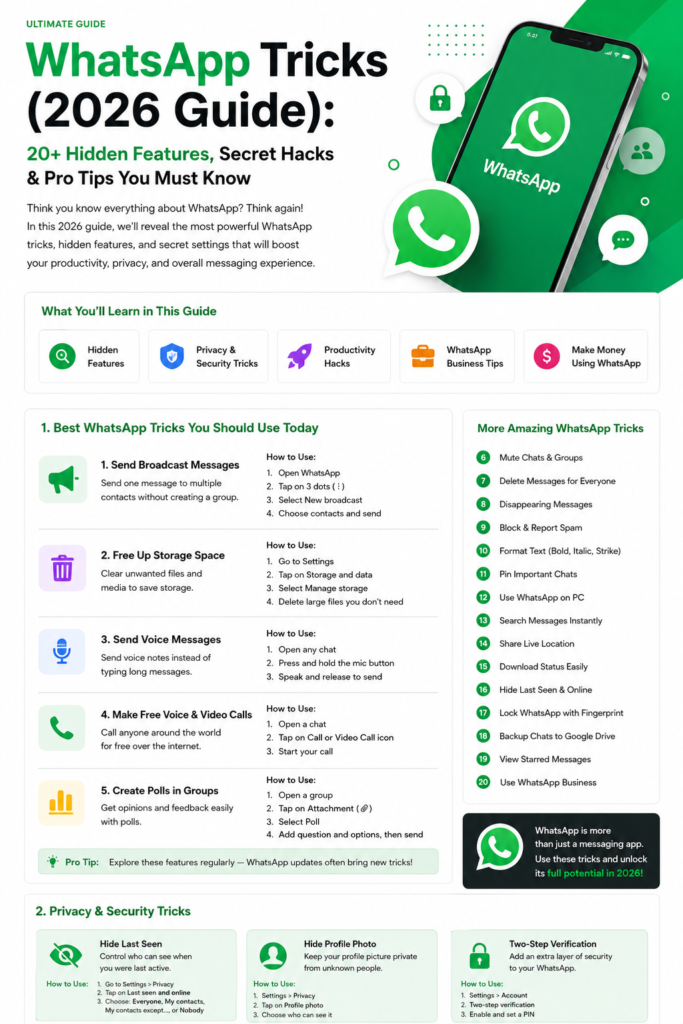
If you have ever argued with a friend over a blue tick, worried that a deleted message was still floating around somewhere, or assumed WhatsApp was completely private, you are not alone. This guide to whatsapp myths vs facts 2026 cuts through the forwarded messages and half-remembered advice that keep these ideas alive, and checks each one against how WhatsApp actually works today.
WhatsApp has changed a lot in recent years. Linked devices, disappearing messages, chat lock and new privacy controls have quietly rewritten rules many of us learned years ago and never questioned again. The myths below survive because they were once partly true, or simply because they sound true.
WhatsApp Myths vs Facts 2026: The 7 Myths, Busted One by One
Myth 1: Blue Ticks Always Mean Your Message Was Read
Fact: Blue ticks mean your message was read only when read receipts are switched on for both people. Anyone can turn them off under Settings > Privacy > Read receipts, and when they do, their ticks stay grey even after they have read every word. A message read from the notification shade or lock screen also does not trigger blue ticks, and in group chats the ticks turn blue only after every member has read it.
For voice messages, a blue microphone means the recording was played, not just delivered. So the next time a reply is slow, remember that two grey ticks prove nothing about whether someone is ignoring you. They may have read receipts off, or they may simply have read your message from a notification.
Myth 2: Deleted Messages Are Gone Forever
Fact: Tapping “Delete for everyone” removes the message from the chat, but it has a time limit of around two days, and it only works properly when both people are on a recent version of WhatsApp. More importantly, it cannot undo what already happened. If the other person already read the message, took a screenshot, or had media auto-download to their phone, your copy may be gone while theirs is still sitting in their gallery.
Treat every message as permanent the moment you press send. If you want messages to vanish by design, use disappearing messages instead, and read our guide to WhatsApp disappearing messages, including timers, setup and limitations, before relying on them for anything sensitive.
Myth 3: WhatsApp Is Completely Private
Fact: Your chats are protected by end-to-end encryption, which means WhatsApp itself cannot read the content of your messages. But encryption covers message content, not everything around it. Metadata such as who you message, when, and how often is still visible to WhatsApp, and your profile photo, last seen and About text follow whatever your privacy settings allow.
Backups are the biggest gap most people never notice. Chat backups saved to Google Drive are not end-to-end encrypted by default, so a copy of your chats sits outside the encrypted system unless you switch on encrypted backup. Take ten minutes to work through a complete WhatsApp privacy and security checklist for 2026, and lock sensitive conversations with chat lock, which hides and locks private chats behind your fingerprint or face.
Myth 4: Blocking Someone Deletes Your Chats With Them
Fact: Blocking someone stops their messages and calls from reaching you, and it hides your last seen, online status and profile photo from them. It does not delete a single message. Your chat history with that person stays on your phone until you delete the conversation yourself, and if you ever unblock them, the old chats are still there.
Messages sent while blocked are never delivered, even after you unblock the person. And blocking does not remove you from group chats you share, so a blocked contact can still see your messages in a common group, and you can still see theirs.
Myth 5: WhatsApp Web Only Works When Your Phone Is Online
Fact: This used to be true. WhatsApp Web was once a mirror of your phone, and the moment your phone lost its connection, the web session froze. That is no longer how it works. Linked devices can now operate independently, so you can send and receive messages from your computer even when your phone is switched off or out of signal.
There are limits. You can link up to four devices, and if your phone stays inactive for more than 14 days, the linked devices are logged out for security. Some features, like live location, still need the phone. The practical payoff is simple: a dead phone battery no longer means a dead WhatsApp Web session. For more tricks like this, explore our roundup of WhatsApp hidden features and tricks for 2026 that most users never open.
Myth 6: A Single Grey Tick Means You Are Blocked
Fact: A single grey tick means your message reached WhatsApp’s servers but has not been delivered to the other person’s phone. Being blocked is only one of several possible reasons. Far more often it means their phone is switched off, they are out of network coverage, they have no mobile data left, or they have uninstalled WhatsApp.
People treat one tick as proof of blocking because it feels like a clear signal, but it is not. A blocked contact also stops showing profile photo updates and their calls never connect, yet even those signs together are not proof, because the same pattern appears when someone changes their privacy settings or deletes their account. Wait before assuming the worst.
Myth 7: WhatsApp Backup Is Automatic and Always Safe
Fact: Backups are not automatic unless you set them up. By default, WhatsApp does not back up your chats on a schedule. You have to go to Settings > Chats > Chat backup, choose a Google account, and pick a frequency: daily, weekly or monthly. Skip that step and a lost or broken phone means your entire chat history is gone with it.
The safety side needs attention too. As noted earlier, Google Drive backups are not end-to-end encrypted unless you enable that option separately, and your backup counts against your Google storage. When you turn on encrypted backup, WhatsApp asks you to set a password or a 64-digit encryption key. Lose that password and the backup cannot be restored, not even by WhatsApp.
What to Actually Do With This Knowledge
Myths survive because they are simpler than the truth. The fix is to check the settings behind them. Turn off read receipts if you want privacy, or leave them on if you want clarity. Switch on encrypted backup and set a backup schedule you can trust. Use disappearing messages for sensitive chats and chat lock for conversations you never want seen on an unlocked screen.
Most importantly, stop treating single ticks, grey ticks and deleted messages as evidence about other people. They tell you about connections, settings and timing, not about intentions. That is the real lesson of whatsapp myths vs facts 2026: check the setting before you judge the person. If you are ever unsure how a feature really behaves, the WhatsApp Help Center is the authoritative place to check, and it is updated whenever a feature changes.

Dr Vivek Garg runs drviram.in — a tech blog about AI tools, apps, and online earning. Every guide here is tested hands-on before it is published.