WhatsApp gives you two very different ways to message many people at once: groups, where everyone talks to everyone, and broadcasts, where you send one message to many people privately. They look similar — both reach a list of contacts in one tap — but they behave completely differently, and picking the wrong one causes awkward replies, privacy problems and messages nobody reads.
This guide explains how broadcasts and groups actually work in 2026, when to use each one, and the mistakes to avoid with both.
1. How a WhatsApp broadcast works
A broadcast list lets you send the same message to up to 256 contacts at once, but each person receives it as a private one-to-one chat. Recipients cannot see each other, cannot see each other’s replies, and cannot tell it was a broadcast. Replies come back to you privately. It feels personal to the recipient and stays manageable for you.
There is one catch that trips up beginners: a broadcast only reaches contacts who have saved your number in their phone. If someone has not saved you, your broadcast message will not be delivered to them, with no error shown to you. For a business or community list, that means asking people to save your number first — otherwise your “announcement” quietly reaches nobody.
2. How a WhatsApp group works
A group is a shared room. Everyone sees every message, everyone can reply, and everyone sees the member list. That shared visibility is the point when you want discussion — a class group, a family chat, a project team — but it is a privacy problem when you just want to announce something. Members can also add other people, change the group photo, and, depending on settings, change the subject and description.
Group admins have real controls, and using them well is what separates a useful group from a noisy one. Our guide to WhatsApp group admin settings every admin should know covers approval settings, disappearing messages and admin-only messaging in detail.
3. Broadcast vs group: the quick comparison
Use a broadcast when the message is one-way and the recipients do not need to talk to each other: announcements, reminders, offers, newsletter-style updates. Use a group when the value is in the conversation itself: coordination, discussion, shared planning, community support. A useful test: if a reply from one recipient would confuse or annoy the others, it should have been a broadcast.
Privacy is the other deciding factor. A broadcast never exposes one recipient’s number to another. A group exposes everyone’s number to everyone in the group. Never put customers, clients or strangers into a group together without a clear reason — that is exactly what broadcasts are for.
4. How to set up a broadcast list properly
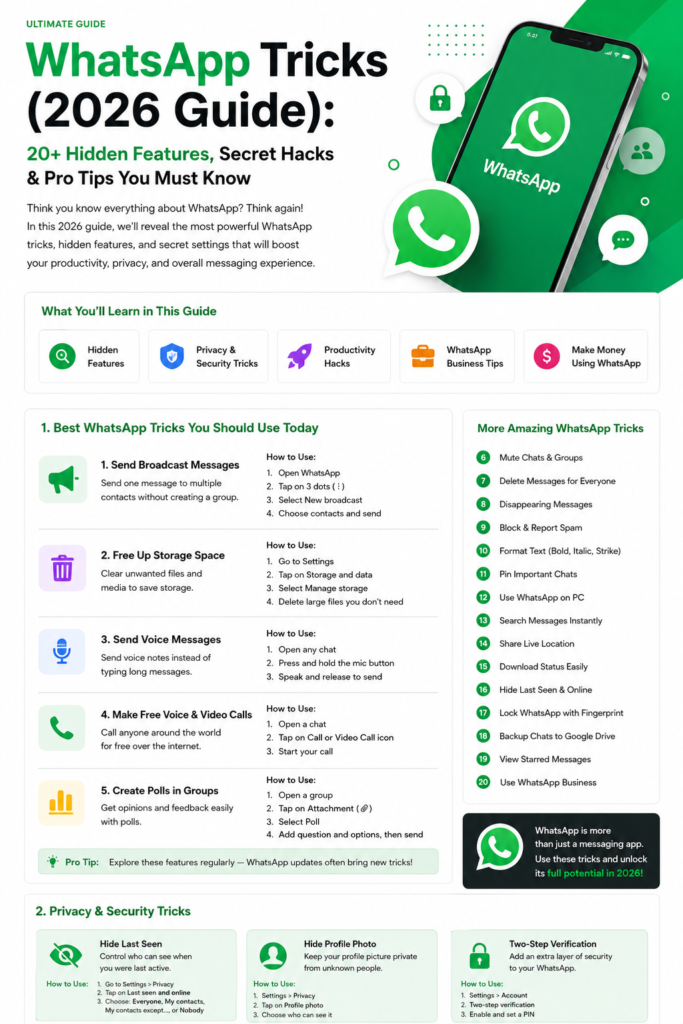
On Android, open WhatsApp, tap the three-dot menu and choose New broadcast, then select the contacts. Give the list a clear name if you manage several — “Customers”, “Class parents”, “Event updates” — so you do not send the wrong announcement to the wrong list. Keep lists small and purposeful; a list of 200 mixed contacts will get a message that pleases nobody.
Tip: before an important broadcast, send a short message asking recipients to save your number, and explain why: “Save this number so you keep receiving updates.” That one step is the difference between a broadcast that lands and one that silently fails.
5. When groups beat broadcasts — and how to run them well
Groups win when people need each other: a study group sharing notes, a team coordinating a shift, a neighbourhood group reporting a water cut. To keep a group useful, set a clear purpose in the description, use admin-only messaging for announcements with a separate discussion group if needed, and pin important messages so new members can find them. For managing a growing community with subgroups and announcements, WhatsApp Communities add a layer above groups that is worth knowing about.
Watch out for: groups that grow past the point of conversation. A 200-member group where only three people talk is a broadcast pretending to be a group — move announcements to a broadcast and keep the group for the people who actually discuss.
6. Broadcasts for small businesses
For a small shop or service, broadcasts are the closest thing WhatsApp has to an email newsletter, without anyone’s inbox being shared. A weekly update — new stock, a timing change, a limited offer — sent to customers who saved your number will outperform a group where customers mute the chat within a week. The WhatsApp Business app adds catalogues and automated greetings on top of this, covered in our guide to the WhatsApp Business app setup, catalogues and broadcasts.
Rule: only broadcast to people who expect your messages. Broadcasting unsolicited offers to strangers is spam, it gets your number reported, and reported numbers can be restricted. Build the list from real customers and contacts who opted in.
7. Keeping both organised
Once you run several lists and groups, your chat list gets messy. Use WhatsApp’s chat filters to separate unread chats, groups and favourites, so an important broadcast reply does not get buried — see our guide to using WhatsApp chat filters to organise your inbox. And if you are unsure about a feature’s current limits, WhatsApp’s official help centre is the authoritative source — see WhatsApp Help Center.
The bottom line
Broadcasts are for announcements to people who should not see each other; groups are for conversations where everyone benefits from hearing everyone else. Choose by asking one question — does this message need replies that others should see? If not, broadcast. Get that choice right, and your WhatsApp messages stop being noise and start being read.