
Welcome to the future of creation! If you’ve ever felt overwhelmed by the endless to-do list of brainstorming, drafting, editing, and publishing, you’re not alone. In 2025, the best AI tools for content creators have become indispensable allies, turning hours of grunt work into minutes of smart automation. Whether you’re a solo blogger, a YouTube star, or a marketing team handling dozens of campaigns, this guide will show you how to harness AI to produce higher-quality content faster and cheaper.
Grab a coffee, settle in, and let’s dive into the AI-powered toolbox that’s reshaping the creator economy.
7 Mistakes Creators Make with the Best AI Tools for Content Creators
The best AI tools for content creators can do remarkable things — but only when you use them well. Before you pick a single tool, here is what most creators get wrong, and how to avoid each trap.
1. Expecting AI to replace your creativity
AI can draft, outline and suggest, but it cannot supply your point of view. The creators who get the best results treat AI as a collaborator, not a ghostwriter: they combine AI efficiency with their unique voice and creativity. The fix: use AI for the first draft and the busywork, then add the stories, opinions and experience only you have.
2. Publishing AI copy without checking it
AI-generated copy can rank well when paired with an SEO plugin or tool like Surfer — but only if you review it first. Always check facts, brand voice and accuracy before you publish. If the output needs heavy editing, that is a sign you picked the wrong tool or the wrong prompt. The fix: build a review step into every piece, and let a human make the final call.
3. Ignoring licences and copyright
Many free tiers allow commercial use, but you must check the licence. AI generates content based on patterns, so you should still verify that any stock media or generated images do not infringe existing copyrights. The fix: read the licence for every free tool you use, and move to a paid plan when high-volume work demands better quality and faster rendering.
4. Choosing the tool everyone else uses, not the one your niche needs
Not all tools fit every niche. A blogger who needs SEO outlines should not buy the same stack as a YouTube creator who needs AI presenters, and a social media influencer needs captions and short-form video, not long-form research. The fix: match the tool to the job, using the niche table later in this guide.
5. Paying before you try the free tier
Almost every tool in this guide has a free way in: Copy.ai’s free tier generates up to 2,000 words per month, ChatGPT’s free tier gives you 25 messages per day, Canva’s Magic Write is bundled with a free Canva account, and Synthesia offers a free demo. The fix: test the free tier on a real project first, and only pay when the volume or the features demand it.
6. Having the tools but no workflow
Having the best AI tools for content creators is only half the battle; without a process, the tools just sit there. A simple six-step workflow — research, drafting, editing, visuals, distribution, analytics — is what turns a toolbox into a production line that can cut production time by up to 70%. The fix: adopt the workflow in the “Integrating AI Tools into Your Workflow” section below, and let each tool own one stage.
7. Ignoring video while text gets all the attention
Video continues to dominate social feeds, and AI video tools are closing the gap between professional production and DIY creation. If you only use AI for writing, you are leaving the fastest-growing format on the table. The fix: turn your best article into a short video with a tool like Pictory or Synthesia, with subtitles and a presenter, then measure the result.
Why AI Is a Game-Changer for Creators
Before we list the tools, it’s worth understanding the why. AI excels at pattern recognition, language generation, and media synthesis — tasks that used to require multiple specialists. In 2025, AI can:
- Generate SEO-optimized copy in seconds.
- Create short-form videos with automatic subtitles and motion graphics.
- Analyze audience sentiment and suggest content topics.
- Offer real-time translation for global reach.
That is why the best AI tools for content creators matter so much: they do the work of several specialists at once.
These capabilities translate into more content, higher engagement, and ultimately, more revenue.
How We Chose the Best AI Tools for Content Creators
Our selection process was rigorous. We evaluated each platform on:
- Accuracy & quality: Does the output need heavy editing?
- Speed: How fast can it generate usable material?
- Ease of use: Is the UI intuitive for non-technical creators?
- Integration: Does it play well with popular CMS, video editors, and social schedulers?
- Pricing: Are there free tiers or affordable plans for freelancers?
Only tools that scored high across all categories made the cut.
Top AI Writing Tools for 2025
When you type best ai tools for content creators into Google, the first results are AI writing platforms. Here are the three that stand out.
1. Jasper AI (formerly Jarvis)
Jasper remains a powerhouse for long-form and short-form copy. Its NLP engine combines GPT-4 with proprietary prompts, delivering:
- SEO-focused blog outlines.
- Social media captions that match brand voice.
- Email sequences with high conversion rates.
Jasper offers a 5-day free trial, after which plans start at $29/mo. It integrates with Surfer SEO, WordPress, and Zapier.
2. Copy.ai
Copy.ai shines for brainstorming. Its “Idea Generator” suggests headlines, topics, and even entire article structures based on a single keyword. The platform also includes a free tier that lets you generate up to 2,000 words per month — perfect for hobbyists.
3. Writesonic
Writesonic has expanded beyond text to include AI-generated images and landing page mockups. Its ChatSonic mode mimics a real conversation, making it easy for creators who prefer a dialogue-based workflow.
Best AI Video Tools for 2025
Video continues to dominate social feeds, and AI video tools are closing the gap between professional production and DIY creation.
1. Synthesia.io
Synthesia lets you create AI-generated presenters that speak in over 60 languages. Perfect for tutorials, product demos, and multilingual marketing. The platform offers a free demo and paid plans start at $19/month, or $14/month billed yearly.
2. Pictory.ai
Pictory automatically transforms long-form text (blog posts, scripts) into short, shareable videos. It extracts key sentences, matches relevant stock footage, and auto-generates subtitles. A free trial gives you 30 minutes of video per month.
3. RunwayML
RunwayML is a creative playground for visual effects, background removal, and AI-driven motion graphics. It integrates with Adobe Premiere and Final Cut Pro, allowing seamless workflow for pro editors.
Free AI Tools Every Creator Should Know
Not every creator has a big budget, but that doesn’t mean you have to sacrifice quality. Here are three genuinely free AI tools for content creators that deliver impressive results.
1. ChatGPT (Free Tier)
OpenAI’s ChatGPT remains a go-to for brainstorming, quick rewrites, and answering research queries. The free tier provides 25 messages per day, which is often enough for small projects.
2. Clipchamp (Free Version)
Owned by Microsoft, Clipchamp offers AI-powered video editing with auto-captioning and stock media. The free plan includes unlimited exports at 720p, making it a handy sidekick for designers.
3. Canva Magic Write
Canva’s Magic Write assists with copy for social posts, presentations, and newsletters. It’s bundled with the free Canva account, making it a handy sidekick for designers.
Integrating AI Tools into Your Workflow
Having the best AI tools is only half the battle; you need a smooth process to reap the benefits. Below is a step-by-step workflow that works for most creators.
- Research & Ideation: Use ChatGPT or Copy.ai to generate topic ideas and outlines.
- Content Drafting: Write the first draft with Jasper or Writesonic. Let the AI handle SEO metadata.
- Editing & Polishing: Run the draft through Grammarly (AI-powered) and then through a plagiarism checker.
- Visual Creation: Convert the article into a video using Pictory.ai or Synthesia.
- Distribution: Schedule posts via Buffer or Hootsuite, attaching AI-generated captions.
- Analytics: Use Google Analytics and AI-driven insights from HubSpot to refine future content.
By automating each stage, you can cut production time by up to 70%.
Case Studies: Real-World Success with AI
Seeing is believing. Here are two brief case studies that illustrate the power of the best ai tools for content creators.
Case Study 1 – Lifestyle Blog Scaling
Background: A solo blogger struggled to publish more than two posts per week.
Solution: The creator adopted Jasper for outlines, ChatGPT for research, and Canva Magic Write for social snippets.
Result: Publication frequency increased to five posts per week, organic traffic grew 120% in three months, and ad revenue doubled.
Case Study 2 – Tech YouTube Channel Revamp
Background: A tech reviewer wanted to add subtitles and multilingual versions without hiring translators.
Solution: Used Synthesia for AI presenters, RunwayML for visual effects, and Clipchamp’s auto-captioning.
Result: Video production time dropped from 8 hours to 2 hours per video, and viewership from non-English markets rose by 45%.
Choosing the Right Tool for Your Niche
Not all tools fit every niche. Here’s a quick matrix to help you decide.
| Niche | Top Writing Tool | Top Video Tool | Free Option |
|---|---|---|---|
| Blogging & SEO | Jasper AI | Pictory.ai | ChatGPT (Free) |
| Social Media Influencers | Copy.ai | Synthesia.io | Canva Magic Write |
| E-learning & Training | Writesonic | RunwayML | Clipchamp |
Future Trends: What’s Next After 2025?
AI is evolving at breakneck speed. Expect these trends to shape the next wave of content creation:
- Multimodal Generation: Tools that produce text, video, and audio simultaneously.
- AI-Driven Personalization: Real-time content that adapts to each viewer’s preferences.
- Voice-First Publishing: AI that converts articles into natural-sounding podcasts.
Staying ahead means continuously testing new platforms and integrating them into your workflow.
Conclusion – Start Creating Smarter Today
In 2025, the best AI tools for content creators are no longer optional — they’re essential competitive advantages.
Ready to level up? Pick one writing tool and one video tool from the lists above. Try their free trials, and integrate them into the workflow outlined. Within weeks you’ll see faster turnaround, higher engagement, and more time to focus on what truly matters — your creative vision.
That is the advantage the best AI tools for content creators give you: more time for the work only you can do.
Explore our in-depth reviews of AI writing platforms and learn how to automate your video pipeline.
Frequently Asked Questions: Best AI Tools for Content Creators
Are AI writing tools safe for SEO?
Yes, when paired with an SEO plugin or tool like Surfer, AI-generated copy can rank well. Always review for factual accuracy.
Do I need technical skills to use AI video tools?
No. Most modern tools like Synthesia and Pictory have drag-and-drop interfaces designed for non-technical users.
Can I use free AI tools for commercial projects?
Many free tiers allow commercial use, but check the license. For high-volume work, a paid plan often offers better quality and faster rendering.
How do AI tools handle copyright?
AI generates content based on patterns, but you should still verify that any stock media or generated images don’t infringe on existing copyrights.
Will AI replace human creators?
AI augments, not replaces. The most successful creators combine AI efficiency with their unique voice and creativity.
How much do the best AI tools for content creators cost?
Prices vary widely. Copy.ai’s free tier covers up to 2,000 words a month, and ChatGPT’s free tier gives you 25 messages a day, so you can start for nothing. When you need more, Jasper’s plans start at $29 a month after a 5-day free trial, and Synthesia’s paid plans start at $$19 a month, or $14 a month billed yearly — and for high-volume work, a paid plan usually offers better quality and faster rendering.
Which AI writing tool is best for SEO content?
Jasper is the strongest choice for SEO work: it produces SEO-focused blog outlines, works with GPT-4, and integrates with Surfer SEO, WordPress and Zapier. If you mainly need ideas and headlines, Copy.ai’s Idea Generator is the better fit, and Writesonic’s ChatSonic mode suits creators who prefer a dialogue-based workflow. That is why Jasper tops most lists of the best AI tools for content creators for SEO work.
Can AI video tools replace a human presenter?
They can stand in for one. Synthesia creates AI-generated presenters that speak in over 60 languages, which is ideal for tutorials, product demos and multilingual marketing. But as with writing, AI augments rather than replaces — your judgement about what to say and how to say it is still what makes a video work.
How do I choose between Jasper, Copy.ai and Writesonic?
Match the tool to the job. Choose Jasper for long-form and short-form copy with SEO in mind, Copy.ai for brainstorming headlines, topics and article structures, and Writesonic if you want an AI chat-style workflow plus AI-generated images and landing page mockups.
What is the best free AI tool for content creators?
It depends on the format. ChatGPT’s free tier is best for brainstorming, quick rewrites and research, Clipchamp’s free plan is best for AI-powered video editing with auto-captioning and unlimited 720p exports, and Canva Magic Write is best for social posts, presentations and newsletters — and it is bundled with a free Canva account.
How do I fit AI tools into a content workflow?
Follow the six-step workflow in this guide: research and ideation, content drafting, editing and polishing, visual creation, distribution and analytics. Use ChatGPT or Copy.ai for ideas, Jasper or Writesonic for the draft, Grammarly and a plagiarism checker for editing, Pictory or Synthesia for the video, and Buffer or Hootsuite plus Google Analytics to publish and measure.
Yes. Jasper writes social media captions that match your brand voice, Copy.ai suggests headlines and topics, and Canva Magic Write creates copy for social posts. For distribution, you can schedule the posts through Buffer or Hootsuite with AI-generated captions attached.
How much time can AI tools save?
A lot, if the workflow is right. Automating each stage of production can cut production time by up to 70%, and the case studies in this guide show the same pattern: one tech channel cut video production from 8 hours to 2 hours per video, while a solo blogger went from two posts a week to five. That is the return on picking the best AI tools for content creators and using them as part of a real workflow.
Are AI-generated videos good enough for professional use?
Yes, for most creator work. Pictory turns long-form text into short, shareable videos with stock footage and auto-generated subtitles, and RunwayML offers visual effects, background removal and AI motion graphics that integrate with Adobe Premiere and Final Cut Pro. For face-to-camera content, Synthesia’s AI presenters cover tutorials and demos in over 60 languages.
What is coming next in AI content creation?
Three trends are shaping the next wave of content creation: multimodal generation — tools that produce text, video and audio simultaneously — AI-driven personalisation that adapts content to each viewer, and voice-first publishing that converts articles into natural-sounding podcasts. The best AI tools for content creators will keep changing fast, so test new platforms as they appear and fold the good ones into your workflow.
- Best AI Writing Tools to Boost Your Content Creation in 2024
- How to Use ChatGPT 5.2: 2026 Guide — Powerful Features, Smart Prompts & Pro Tips to Maximize Productivity
- Top AI Tools for Small Business in 2024: Boost Efficiency & Growth
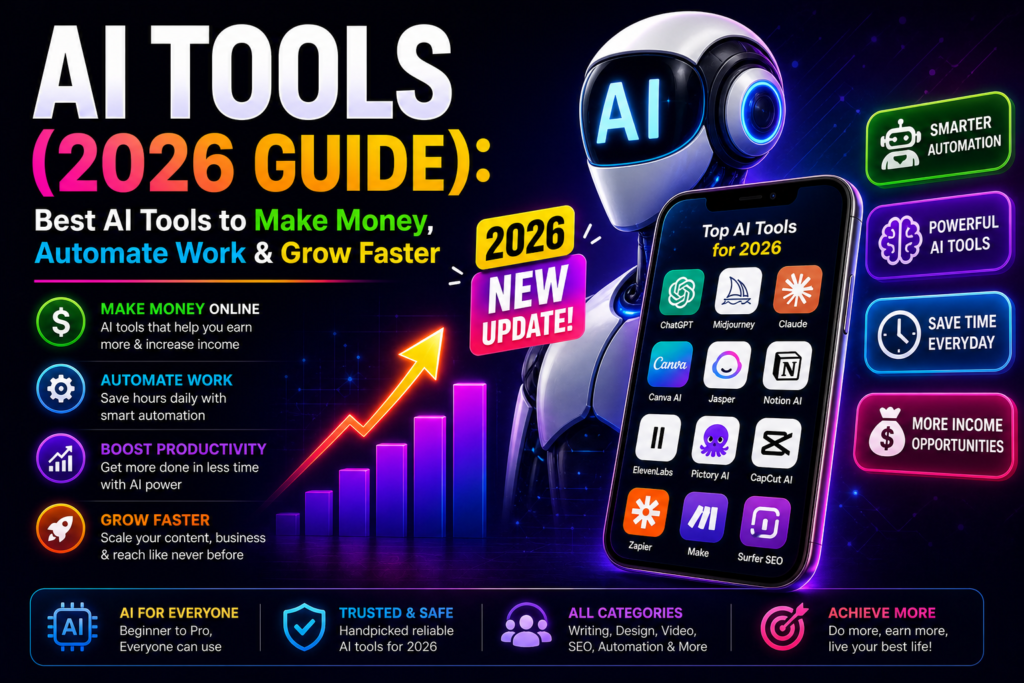
- AI Tools 2026 Guide: Best AI Tools to Make Money, Automate Work & Grow Faster

Dr Vivek Garg runs drviram.in — a tech blog about AI tools, apps, and online earning. Every guide here is tested hands-on before it is published.
Pingback: Ultimate Guide to Mobile App Development Trends 2026 - AppTricko