That little word “online” under your name can feel stressful. You open WhatsApp to read one message, and suddenly everyone checking your chat knows you are there. If you have ever wondered how to hide your online status on whatsapp, the good news is that WhatsApp now has a built-in setting for it — no third-party app and no risky trick needed.
This guide covers the setting, what it can and cannot hide, and the questions people ask most after turning it on — using WhatsApp’s own privacy controls, on Android and iPhone alike.
The Quick Answer
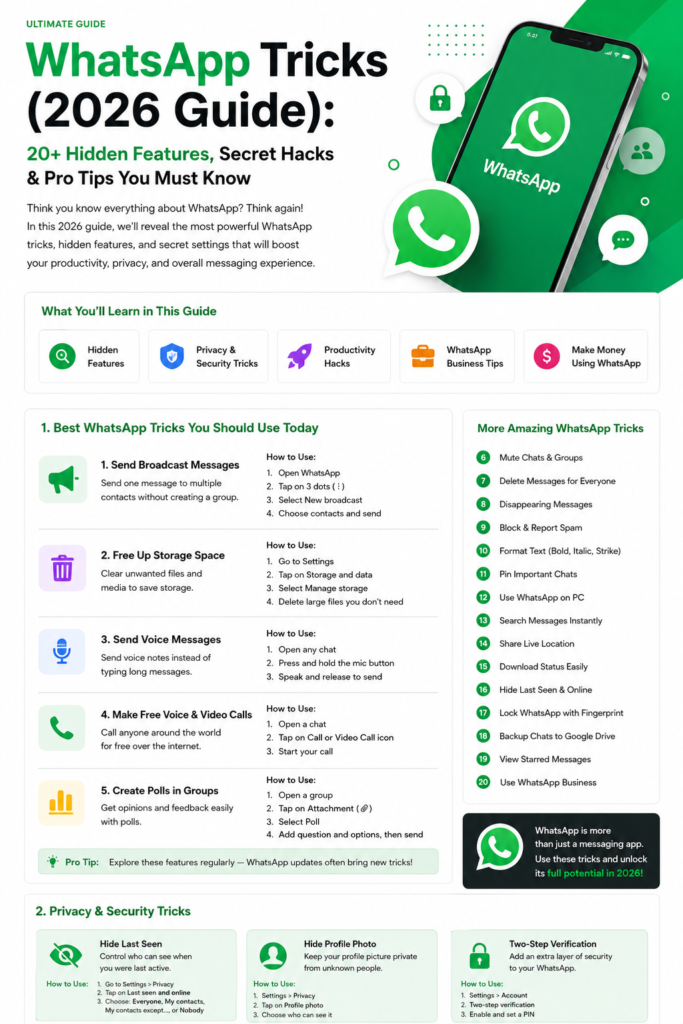
It takes less than a minute. Open WhatsApp and go to Settings, then Privacy, then Last seen and online. Under “Who can see when I’m online”, choose “Same as last seen” or “Nobody”. That is the whole job — once you know how to hide your online status on whatsapp, the setting itself is the easy part.
- Open WhatsApp and tap Settings.
- Tap Privacy, then Last seen and online.
- Set “Who can see my last seen” to your preference.
- Set “Who can see when I’m online” to “Same as last seen” or “Nobody”.
- Go back. The change applies immediately.
Choosing “Nobody” hides you from everyone. “Same as last seen” links the two settings, so if your last seen is “My contacts”, only your contacts see you online — the best middle ground. Note the trade-off: hiding your status also hides other people’s from you. For a wider clean-up, run through a full WhatsApp privacy settings checklist.
Can I Hide My Online Status From One Person Only?
Yes, but only indirectly — WhatsApp has no “hide online from this one contact” button. It does have “My contacts except…” under last seen, and combined with “Same as last seen” for online status, the people you exclude lose both your last seen and your online indicator at once.
Set last seen to “My contacts except…”, pick the people, then set online to “Same as last seen” — a quiet fix for the one person who watches your activity too closely. It is not a block: excluded contacts can still message you. If you want a chat itself out of sight, learn how to lock and hide private chats with Chat Lock.
Does Hiding Online Status Also Hide Last Seen?
Not automatically. Last seen is the timestamp under your name showing when you were last active, like “last seen today at 9:41 pm”; online status is the live indicator while the app is open. Hiding one does not force the other to hide, unless you deliberately link them.
With online set to “Same as last seen”, the two settings follow the same rule — and you cannot show your online status to people who cannot see your last seen, since the online options are only “Same as last seen” and “Nobody”. For a simple setup, set last seen to “My contacts” and online to “Same as last seen”: strangers see nothing, people you know see you normally.
Can People Still See When I Am Typing?
Yes — the biggest gap in the setting. Hiding your online status does not hide the “typing…” indicator: open a chat and start typing, and the other person still sees “typing…” at the top of the screen, even though your online status is hidden.
The same applies to “recording audio…” when you hold the microphone button. These activity indicators are separate from the online indicator, and WhatsApp offers no switch to turn them off. The workaround is simple: read messages from the chat list or notifications, and only open a chat when you are ready to reply. Turning off read receipts hides the blue ticks too.
Does It Work on WhatsApp Web?
Yes, because the setting is tied to your account, not to one device. Once you change it on your phone, the same rule applies on your linked laptop, tablet, or desktop too.
One catch: you cannot change the setting from WhatsApp Web itself; the privacy controls live only in the phone app, under Settings and then Privacy. The WhatsApp Help Center explains the current privacy options for Android, iPhone, and desktop.
Will It Hide My Status Updates Too?
No. Online status and status updates are two different features that happen to share the word “status”. Hiding your online presence changes nothing about the photos, videos, and text you post to the Status tab — those are controlled by a separate setting called Status privacy.
To control who sees your status updates, go to the Status tab and open Status privacy, where you can choose “My contacts”, “My contacts except…”, or “Only share with…”. The two settings work independently: online status controls whether people know you are in the app right now, status privacy controls who sees what you post.
Why Can Someone Still See Me Online?
If you changed the setting and someone can still see you online, check a few common causes. First, confirm it actually saved — open Settings, then Privacy, then Last seen and online. It is easy to tap the wrong option or back out without saving.
Second, allow for a short delay: if the other person already had your chat open, their screen may take a moment to refresh. Third, check your app version — the control arrived in a recent update, so an old app may not have it at all. And remember its limits: while you type, people see “typing…”, group members can see you online while you read messages, and no WhatsApp setting can stop a third-party tracker app from making its own guesses.
How to Hide Your Online Status on WhatsApp if the Setting Is Missing?
If Settings, then Privacy, shows no “Last seen and online” option, the cause is almost always an outdated app. Update WhatsApp from the Google Play Store or the Apple App Store, restart the app, and check again — the option should appear under Privacy once the update is installed.
If the app is already up to date, force-close WhatsApp and reopen it, check your phone’s date and time, and if you are on a beta build, switch back to the stable release. As a last resort, back up your chats, reinstall WhatsApp, and restore the backup. In almost every case, though, a simple update is all it takes.
What to Remember
Once you know how to hide your online status on whatsapp, the setting itself is the easy part. Remember its limits: it hides the “online” label, not the typing indicator, your status updates, or your activity inside groups. It is reciprocal — hiding yourself means you cannot see others either — and it works best as one piece of a wider privacy setup.
Take five minutes to check the rest of your privacy settings too: set a sensible audience for your profile photo and status updates, review who can add you to groups, and turn on two-step verification so your account itself is protected, not just your presence. Also read about WhatsApp usernames and how they change the way people find you. Privacy on WhatsApp is a handful of small choices, and the online status switch is a good place to start.

Dr Vivek Garg runs drviram.in — a tech blog about AI tools, apps, and online earning. Every guide here is tested hands-on before it is published.