
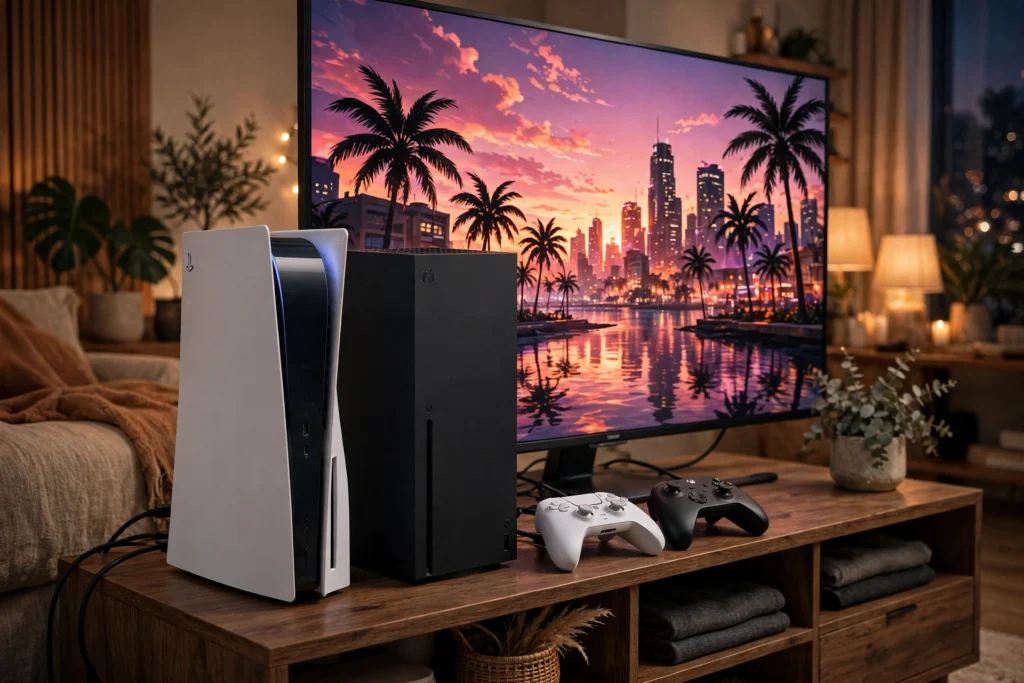
At $79.99 for the Standard Edition, GTA 6 is one of the most expensive games most players will buy this year — so it is no surprise that gta 6 game sharing has become one of the most searched questions since launch. The good news: you can share one digital copy with a friend or family member on both PlayStation 5 and Xbox Series X|S, and both of you can play at the same time on your own accounts. There is no special Rockstar feature involved. Sharing works through the console license systems Sony and Microsoft have offered for years, and GTA 6 follows the same rules as any other digital game. Here is the setup, the limits, and how to split the cost safely.
GTA 6 Game Sharing: The Short Answer
Yes, gta 6 game sharing works on PS5 and Xbox Series X|S. Buy one digital copy, then use your console’s sharing feature to let a second console play it. On PS5, the feature is called Console Sharing and Offline Play. On Xbox, it is called My home Xbox. In both cases, the owner signs in on the other console, turns the sharing setting on, and the other player downloads the game and plays it on their own profile, with a separate save file.
Three rules apply on both platforms. First, both players need the same type of console — a PS5 copy cannot be shared with an Xbox, and vice versa. Second, you can only share with one other console at a time. Third, this only works for digital copies: a physical disc has to sit in whichever console is playing, so it cannot be in two places at once. If you bought the disc version, our guide to where to buy GTA 6 in the USA explains the edition differences.
Do the setup on the console you are sharing with, not your own.
- Buy GTA 6 on your PlayStation account. The Standard Edition is $79.99 in the USA. For a full edition breakdown, see our GTA 6 price in USA guide.
- Sign in to your friend’s PS5 with the account that owns the game.
- Open Settings > Users and Accounts > Other.
- Select Console Sharing and Offline Play, then Enable.
- Download GTA 6 on that PS5 from your library.
- Switch back to your friend’s own account. They can now play on their own profile, with their own save file and trophies.
Your friend keeps access until you change your password or turn the setting off, so only share with someone you trust. The owner can still play on their own PS5 by signing in as usual, as long as that console is online.
Two limits matter most: Console Sharing can only be on for one PS5 per account, so turn it off on your own console first. And Sony lets you remotely deactivate all devices only once every six months.
On Xbox the setting is called your Home Xbox. Again, do the setup on the console you are sharing with.
- Buy and download GTA 6 on your own Xbox, on the account you will use to share.
- Sign in to your friend’s Xbox with the account that owns the game. Press the Xbox button, then Profile and system, then Add or switch.
- Open Settings > General > Personalization.
- Select My home Xbox, then Make this my home Xbox.
- Download GTA 6 on that console from your library.
- Have your friend sign back in with their own account. They can now play on their own profile.
On your own Xbox, you can still play by signing in with your own account, but that console needs an active internet connection to verify your license, since it is no longer your Home Xbox. The big Xbox limit is the switch count: you can only change your Home Xbox up to five times in a one-year period, and the console shows a date if you hit the limit. Pick your sharing partner carefully, because each change counts.
PS5 vs Xbox Game Sharing: What Is Different?
| Feature | PS5 | Xbox Series X|S |
|---|---|---|
| Setting name | Console Sharing and Offline Play | My home Xbox |
| Menu path | Settings > Users and Accounts > Other | Settings > General > Personalization |
| Consoles at once | One PS5 | One Xbox |
| Switch limit | None; remote deactivation once per 6 months | 5 Home Xbox changes per year |
| Owner plays offline? | No | No |
| Shared console offline? | Yes | Yes |
| Cross-platform? | No | No |
How Much Money Does Game Sharing Save?
Split down the middle, one $79.99 copy costs about $40 per person. That is the whole appeal: GTA 6 launched at full price with no discount, and sharing is the only legitimate way to cut the cost in half. Both players get the full game — the same story, map, and missions — and both can play at the same time.
The setting applies to your whole digital library, so every digital game you buy while sharing is effectively half price for both of you. Agree on a 50/50 split before you pay, so nobody chases a payment after the download. If you are the one buying, you can order the PS5 copy from Amazon. And if the second player still needs a controller for their console, a wired Xbox controller like the PowerA Wired Controller for Xbox is a solid budget pick.
Game sharing covers the game itself, but not everything attached to it. The full story, map, and missions are shared. Downloadable content is mostly shared too, but with restrictions on some in-game items. In-game currency and GTA+ perks are generally not shared — they stay with the account that bought them. Save files are never shared: each player keeps their own progress, and each profile earns its own trophies and Gamerscore.
One more thing to know: GTA Online has not launched yet, so how sharing will interact with it is still unconfirmed. Treat any claim about shared Online progress as a rumor until Rockstar says otherwise.
Can You Play GTA 6 at the Same Time While Sharing?
Yes — this is the part that surprises most people. Once the setup is done, both players can play at the same time on their own profiles: the owner on their own console while signed in online, and the friend on the shared console. You do not have to take turns. The one catch is that the owner’s console must stay online while playing, because it verifies the license. The shared console can keep playing offline. For the full picture, read our GTA 6 offline mode guide.
Game Sharing Safety: Rules That Keep Your Account Safe
Sharing means handing someone the keys to your account, even briefly. Share only with people you trust completely — a stranger with your login can change your password, email, and payment details. Never accept “gameshare” offers from strangers on social media or Discord; many are scams that take your login and lock you out. Turn on two-factor authentication before you sign in anywhere else, and require a password for purchases so nobody can buy games on your card from the other console. If the arrangement ends, change your password right away — that ends the other console’s access to your library. And watch out for “free GTA 6” scams: any site offering a free shared copy in exchange for your login is a scam, because Rockstar does not give away shared copies.
Frequently Asked Questions
Yes. Turn on Console Sharing and Offline Play on the console you want to share with, under Settings > Users and Accounts > Other. Anyone using that PS5 on their own profile can then play your digital copy — but only one PS5 at a time.
Yes. Make the other console your Home Xbox under Settings > General > Personalization > My home Xbox. Anyone on that Xbox can then play your digital copy on their own account. You can only have one Home Xbox at a time, and switch it up to five times per year.
Not through console sharing. A disc has to be inserted in the console that is playing, so only one console can use it at a time. Digital sharing works because the license lives on your account, not on a disc.
Is game sharing GTA 6 legal?
Yes. Console Sharing on PS5 and Home Xbox are official, built-in features offered by Sony and Microsoft, and sharing with a trusted friend or family member does not break any rule. What is not allowed is selling shared access, or sharing your login with strangers as a service — that can get your account banned. Engadget’s guide to game sharing GTA 6 confirms the same PS5 and Xbox steps.
The Bottom Line
GTA 6 game sharing is simple, official, and the best way to cut the cost of a $79.99 game in half — as long as you share with someone you trust. Pick the same platform, set up Console Sharing on PS5 or Home Xbox on Xbox, and both of you can play the full story at the same time on your own profiles. Respect the one-console limit, remember the Xbox five-switch rule, use two-factor authentication, and never hand your login to a stranger.
As an Amazon Associate, I earn from qualifying purchases.

Dr Vivek Garg runs drviram.in — a tech blog about AI tools, apps, and online earning. Every guide here is tested hands-on before it is published.

