
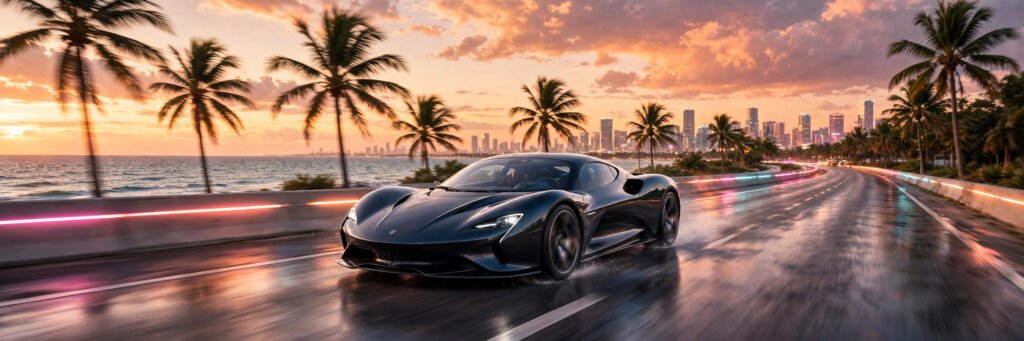
Driving is the skill you will use most in Grand Theft Auto VI. You will spend hours behind the wheel crossing Leonida, outrunning the law, and threading through Vice City traffic — and this gta 6 driving guide will make those hours feel good instead of frustrating. Rockstar rebuilt the driving model from scratch: cars are heavier, streets are narrower, and crash damage now affects steering.
This guide covers the controls, the handling, drifting, Focus mode, police escapes, auto drive, and fuel and repairs.
GTA 6 Driving Guide: The Controls You Need First
Learn the buttons first. GTA 6 moved the handbrake: in GTA 5 it sat on R1, but in GTA 6 R1 fires your weapon from the car. Confirm your layout on the in-game Control Scheme screen, which also offers Default, Classic, and Left-Handed presets. The default layout is:
| Action | PS5 | Xbox |
|---|---|---|
| Accelerate | R2 | RT |
| Brake / reverse | L2 | LT |
| Handbrake (drift) | Cross | A |
| Horn / nitro | L3 | Left stick click |
| Headlights | Circle (tap) | B (tap) |
| Exit vehicle | Triangle | Y |
| Leave engine running / bail out | Double-tap Triangle | Double-tap Y |
| Duck (hide from cops) | Hold Circle | Hold B |
| Focus mode (slow time) | Click L3 + R3 | Click both sticks |
| Drive-by shooting | L1 to draw, R1 to fire | LB to draw, RB to fire |
Two controls deserve special attention. Double-tapping Triangle or Y steps you out while leaving the engine running — at speed, the accelerator jams and the car keeps going without you. Holding Circle or B to duck hides you from police sightlines.
Step 1: Learn How the Cars Actually Handle
Rockstar North co-studio head Rob Nelson has said the driving was rebuilt from the ground up, with far more control over tuning drivetrains, tires, suspension, and steering. The result keeps the weightiness of GTA 4 with the accessibility of GTA 5: cars pitch forward when you brake, lean into corners, and take longer to stop than GTA 5 cars did. Nelson also warned that Leonida’s streets are narrower and more realistically scaled, with denser traffic. Rockstar posts official news on the Rockstar Newswire.
Build the right habits from day one. Brake before the corner, not in it: braking mid-turn kills front grip, so the car slides wide — brake with the wheels straight, then turn in. Brake earlier than you think if you are coming from GTA 5. Let off the gas to turn tighter. Respect the car you are in: every vehicle breaks loose differently, so relearn each new car with a few gentle corners. Fix damage instead of fighting it: repair a car that pulls or wobbles. Practice in an empty parking lot.
Step 2: Master the Drift
Drifting is the most useful advanced skill in GTA 6: a short sequence you repeat until it becomes muscle memory. Come in with speed — a slide needs momentum. Turn in a moment before the corner, then tap and hold the handbrake (Cross on PS5, A on Xbox) to lock the rear wheels; the back of the car steps out. As the rear swings out, countersteer — push the left stick the other way — so the car does not spin. Then feather the throttle: too much gas spins you, too little and the slide dies. Straighten out as the corner opens and roll back onto full throttle.
If the car spins, you stayed on full throttle while countersteering — ease off the gas. If it barely moves sideways, go in faster or turn in harder. Drifting is per-car: a coupe kicks out with a short tap, a sedan needs a longer hold.
Step 3: Use Focus Mode to Thread Traffic
Focus mode is the driving assist most players ignore, and it is the one that saves you in heavy traffic. Click both sticks (L3 + R3 on PS5) while driving and time slows for a moment, giving you room to thread a gap, take a 90-degree turn at speed, or dodge a truck that pulled out in front of you. It is a short burst, not a toggle. Use it when traffic is unpredictable, and to learn a new car’s limits: slow time down, feel how the car rotates, then repeat the corner at full speed.
Step 4: Drive in Rain, at Night, and on Wet Roads
Leonida’s weather is not cosmetic. Rain makes roads slick, lengthens braking distances, and makes the rear end step out sooner, so treat a wet road like a different surface: brake even earlier, be gentler with the throttle, and save your drifting for dry asphalt. At night, tap Circle or B for the headlights. Watch for bridges, too: some rise to let boats pass, so stop and wait for the deck to lower. On the causeways in bad weather, keep your speed in check.
Step 5: Escape the Police Without Wrecking Your Ride
A clean escape is mostly about breaking line of sight, not raw speed. When the Heat is on, the police need to see you to keep the pursuit going, so get out of view — duck behind buildings, take a side street, or drop into an alley and hold Circle or B to duck down inside the car. Sitting low in a parked car can break their search.
When you do need speed, pick your roads. Wide highways let you outrun patrol cars, but narrow streets let you break line of sight faster, and a sharp handbrake turn into a side street beats another hundred yards of straight-line speed. Avoid oncoming traffic at full speed: a head-on crash does the police’s job for them. If the car is smoking, bail out with a double-tap of Triangle or Y — the car keeps rolling and can draw a pursuer away. For the full system, read our GTA 6 wanted system guide.
Step 6: Use Auto Drive When You Just Want to Get There
Not every drive needs to be a white-knuckle chase. GTA 6 has a built-in auto drive: set a waypoint, switch to the cinematic camera by holding Down on the D-pad, and enable auto drive. The car takes you to the waypoint on its own, and you can still adjust speed with the pedals. Use it for long cross-map trips or getting back to a safehouse, and to learn the map — watch the route the car takes. To skip driving entirely, our GTA 6 fast travel guide covers taxis, rideshares, buses, and trains.
Step 7: Keep Your Car Fueled, Fixed, and Yours
Cars in GTA 6 need fuel, and they take damage that matters. A car that runs dry stops where it stands, so fill up at gas stations before a big trip rather than during a getaway. Damage is not just cosmetic — steering, handling, and top speed all degrade as the car gets beaten up, so repair at a mod shop when the car starts pulling or wobbling.
There is no car dealership in GTA 6. You steal the vehicle you want, then register it to keep it — so it is only yours once registered. A registered, fueled, repaired car is an asset; an unregistered one is a rental with a police escort attached. Mod shops handle upgrades that genuinely change how a car drives. Our GTA 6 vehicles guide breaks down every class, and our GTA 6 controller settings guide covers the settings that make the whole game feel better.
Step 8: Pick the Right Car for the Job
There is no single best car in Leonida — there is a best car for what you are doing right now. Sports cars and supercars are fastest in a straight line but twitchy in the wet and expensive to lose. Sedans and SUVs are slower but stable and much harder to spin, which makes them better getaway cars for a new driver. Keep two cars registered: one fast car for missions, and one tough, stable car for getaways.
Gear That Makes Driving in GTA 6 Better
The right gear will not make you a better driver on its own. A good headset matters: hearing an engine note, a siren’s direction, or tires losing grip a half-second earlier is the difference between a clean corner and a wall. The BENGOO G9000 stereo gaming headset is a solid budget pick for exactly that. If you play on Xbox, a spare controller is worth having too — drifting and drive-bys are hard on triggers and bumpers — and the PowerA wired controller for Xbox is a reliable, inexpensive backup. And if you have not picked the game up yet, Grand Theft Auto VI for PS5 is $79.99 in the US.
GTA 6 Driving Guide FAQ
How do you drift in GTA 6?
Hold the handbrake — Cross on PS5 or A on Xbox — while turning at speed, then countersteer and feather the throttle. Come in with speed and ease off the gas if the car starts to spin.
Why does driving feel harder than GTA 5?
Rockstar rebuilt the driving model from scratch. Cars carry more weight, streets are narrower, traffic is denser, and crash damage affects steering. Brake earlier than you would in GTA 5.
Final Word
Driving in GTA 6 rewards patience in a way GTA 5 never did. Learn the controls, brake before your corners, practice drifts in an empty lot, and let Focus mode and auto drive help when it counts. Once the cars’ weight makes sense to your hands, every drive feels earned. Keep it fueled, keep it registered, and keep it out of the walls.
As an Amazon Associate, I earn from qualifying purchases.

Dr Vivek Garg runs drviram.in — a tech blog about AI tools, apps, and online earning. Every guide here is tested hands-on before it is published.


Pingback: GTA 6 Racing Guide: Best Cars, Tracks, and How to Win Every Race