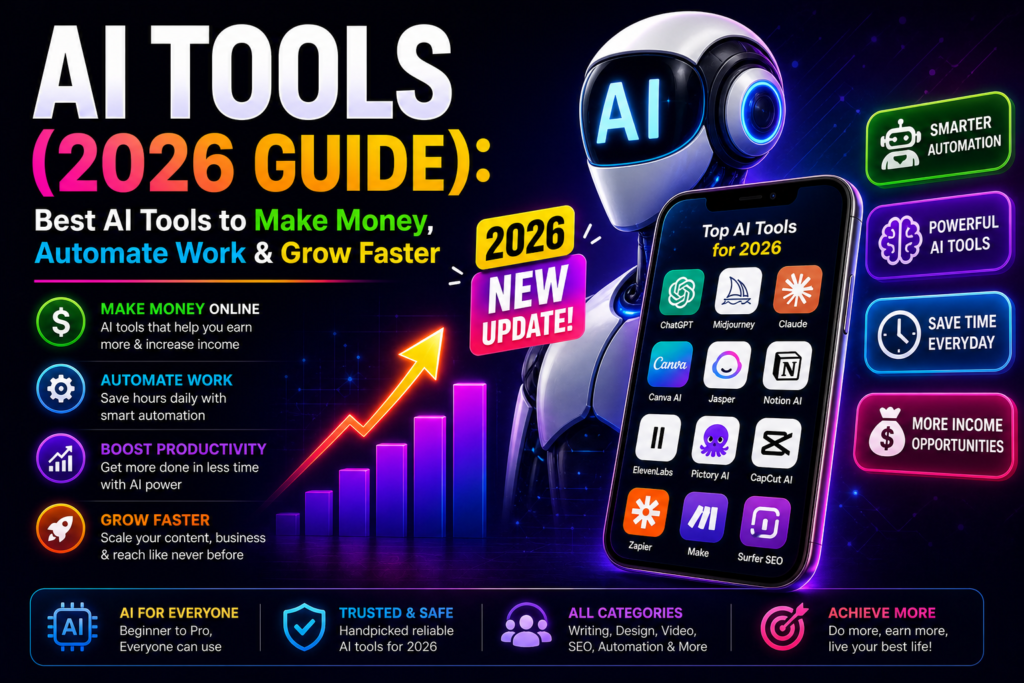
Your Android phone can do far more than scroll feeds and take photos. The best free ai apps for android 2026 can draft emails, summarise long articles, plan your week, and answer tricky questions in seconds — all without costing you a rupee. The problem is choice: the Play Store is packed with AI apps, and most are ad-filled clones or thin wrappers around the same few models. I tested the six worth your storage, so you can skip the junk and install only what earns a place on your home screen.
Every app below is free to download and genuinely usable without paying. Each has limits on its free tier, and I will call those out honestly, because a “free” app that locks its best features behind a paywall is not really free. Here is how they stack up.
How I Compared the Best Free AI Apps for Android 2026
Here is the yardstick. I judged every app on five things: how much you can do on the free plan, the quality of its answers, how well it fits into Android, how fast it feels on a mid-range phone, and how it handles your data. An app scores well only if it is useful every day.
1. ChatGPT — Best All-Rounder
ChatGPT is still the most versatile AI assistant on an Android phone. The free plan includes GPT-4o access with a daily message limit, voice conversations, photo uploads, and basic image generation. It handles the widest range of jobs: drafting messages, explaining concepts, brainstorming ideas, and helping with homework or office work. Students get a lot out of it — if that is your main use, our guide to the best free AI tools for students covers study-specific picks in more detail.
Pros:
- The most capable free model here
- Natural-feeling voice mode
- Text, images, and voice in one app
Cons:
- Daily cap on GPT-4o messages, then it switches to a weaker model
- Advanced voice features need the paid Plus plan
- Can be slow at peak hours
2. Google Gemini — Best for Android Users
Gemini is Google’s own AI, and on Android it feels like part of the phone rather than an app bolted on. It can replace Google Assistant, answer questions about what is on your screen, and summarise emails. The free tier includes the standard Gemini model and the Gemini Live voice feature, which is genuinely useful for hands-free use while driving or cooking. Google’s own Gemini help pages explain the current features and limits, and they are worth a quick read before you lean on the app for important work. Our walkthrough of how to use Google Gemini for everyday tasks shows practical ways to use it daily.
Pros:
- Deepest Android integration here
- Free Live voice conversations
- Works with Google apps you already use
Cons:
- Free model is less capable than the paid Advanced version
- Some features need a Google account signed in
- Occasional factual slips on niche topics
3. Microsoft Copilot — Best Free Image Generation
Copilot is the surprise of this list. Built on the same GPT-4o model as ChatGPT, it gives you generous free access — including image generation through its Designer tool — without forcing a subscription. Ask it for a birthday card image, a logo idea, or a poster, and it will produce one in seconds. It also drafts documents, summarises web pages, and answers questions with sources attached. If image creation matters to you, our comparison of the best free AI image generators goes deeper on the dedicated tools.
Pros:
- Free GPT-4o access and image generation
- No account needed for basic chats
- Clean, ad-free interface
Cons:
- Fewer advanced features than ChatGPT’s paid tier
- Image quality varies from prompt to prompt
- A Microsoft account is needed for full chat history
4. Perplexity — Best for Research and Real Answers
Perplexity is the app to install if you are tired of AI answers that sound confident but cannot be checked. Every answer comes with clickable sources, so you can verify claims in one tap. It searches the live web, which makes it far better than other chatbots for current events, prices, and recent news. The free plan includes a few Pro searches each day, which unlock deeper research and more sources.
Pros:
- Answers always cite their sources
- Excellent for news and current topics
- Clean, distraction-free design
Cons:
- Limited free Pro searches
- Weaker at creative writing than Claude or ChatGPT
- No image generation in the free tier
5. Claude — Best for Writing
Claude is the writer’s choice. Its answers read more naturally than most rivals, and it handles long documents better than any other free app here — paste a long article or a draft, ask for a summary or a rewrite, and the result usually needs little editing. It is also the most careful about not making things up. The trade-off is a strict daily message limit, so heavy users will hit the wall by evening.
Pros:
- Best long-form writing and editing
- Handles long documents well
- Honest about uncertainty instead of guessing
Cons:
- Strict daily message limits
- No image generation
- Fewer integrations than Gemini or Copilot
6. Meta AI — Best If You Live on WhatsApp
Meta AI is the only app here you may already be using without realising it. It is built into WhatsApp, Instagram, and Facebook, so you can ask questions or generate an image without opening a separate app. As a standalone app it also offers voice chat and image generation for free. It is convenient rather than powerful: great for quick questions and casual use, but not the right tool for long writing or serious research.
Pros:
- Built into apps you already open daily
- Free image generation
- Quick voice chats
Cons:
- Weaker at complex reasoning than the others
- Privacy concerns around Meta’s data use
- Far fewer tools than its rivals
Side-by-Side Comparison
Here is the short version — one line per app:
- ChatGPT — best all-rounder for everyday questions and writing.
- Gemini — best Android integration and hands-free use.
- Copilot — best free image generation and GPT-4o access.
- Perplexity — best for research with checkable sources.
- Claude — best for serious writing and long documents.
- Meta AI — best for quick questions inside WhatsApp and Instagram.
For a deeper head-to-head, see our comparison of ChatGPT vs Gemini vs Claude, which breaks down their answers side by side.
The Verdict: Which App Should You Install?
If you install only one of the best free ai apps for android 2026, install ChatGPT. It does the most things well, and its free tier covers a normal day of use. If you own a Pixel or a recent Samsung, add Gemini — its Android integration is genuinely useful and costs nothing extra. Researchers should add Perplexity for fact-checked answers, and writers should keep Claude for editing days.
The good news: all six are free, so you do not have to choose just one. Install two or three, use each for what it does best, and delete the rest. Your home screen — and your storage — will thank you.

Dr Vivek Garg runs drviram.in — a tech blog about AI tools, apps, and online earning. Every guide here is tested hands-on before it is published.