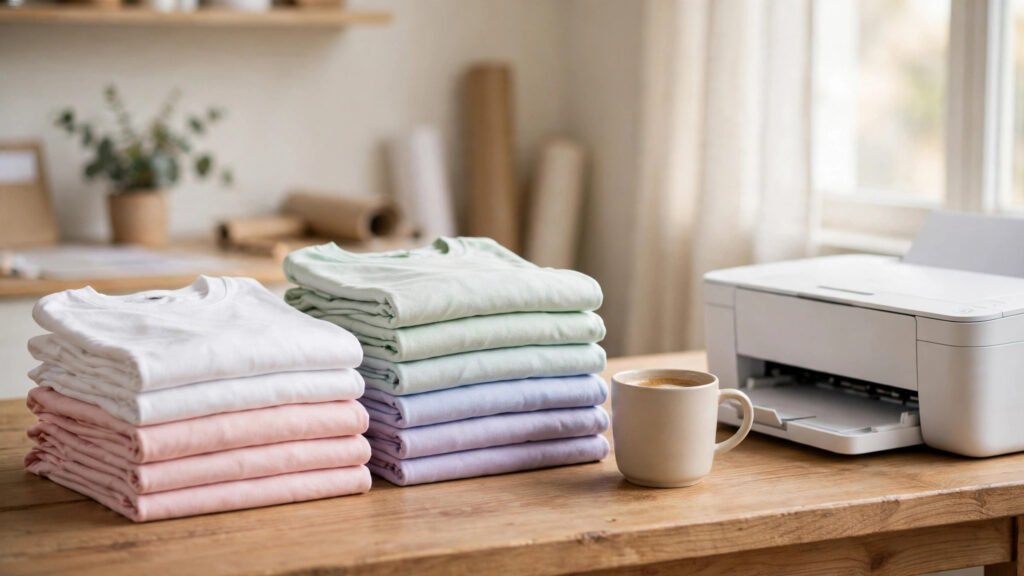
Print on demand (POD) lets you sell custom products without buying stock in advance. You create an original design, list it on a marketplace or your own store, and a production partner prints and ships each item after a customer orders. That removes the need to store boxes of T-shirts at home, but it does not remove the work of choosing products, pricing, customer service and marketing.
This 2026 beginner guide explains how print on demand works, how to choose a niche and provider, how to calculate a realistic margin, where to sell and how to avoid copyright and marketplace mistakes. The goal is to help you test a small business idea without assuming that every design will sell.
How print on demand works
- Create an original design: for example, artwork for a T-shirt, mug, tote bag or poster.
- Choose a product and print provider: upload your artwork and select size, colour and print placement.
- Publish a listing: connect the provider to a marketplace or your own online store.
- A customer places an order: the order is sent to the provider according to your integration and order settings.
- The provider produces and ships: it charges you the product and fulfilment cost, while your store collects the customer’s payment.
- You keep the remaining amount: after provider costs, marketplace fees, payment processing, advertising, taxes and other expenses.
You are still responsible for accurate product descriptions, customer questions, refunds and the promises made on your storefront. Check how your chosen provider handles reprints, lost parcels, returns and order delays before publishing products.
Realistic expectations: is print on demand passive income?
No. POD can reduce inventory risk, but it is an active business. A new store may receive no orders for weeks or months. You need a clear audience, original designs, competitive products, good mockups and a plan to reach buyers. Do not borrow money or buy an expensive subscription based on an online income screenshot.
Start with a small test catalogue. Learn which designs attract clicks, which listings convert and whether the margin remains positive after all costs. Treat sales and profit as different numbers: revenue is not take-home income.
Step 1: Choose a specific niche
“T-shirts for everyone” is too broad. A niche gives you a defined buyer and helps you create a consistent product range.
- Profession-based: nurses, teachers, mechanics, chefs or software developers.
- Hobbies: gardening, hiking, chess, fishing or home baking.
- Pets: original designs for owners of particular breeds or animal interests.
- Life events: new parents, graduations, weddings, reunions or retirement.
- Local identity: original city, neighbourhood or regional designs that do not misuse protected names or logos.
Research the niche before making products. Search marketplace listings, read buyer reviews and note what customers praise or complain about. Look for a gap you can genuinely improve—such as clearer sizing, a more thoughtful design or a product for a specific occasion. Avoid copying another seller’s artwork or listing structure.
Step 2: Create original designs
You can start with simple text layouts or illustrations. Tools such as Canva and other design editors can help, but always check the licence for fonts, stock elements, templates and AI-generated assets before using them on products for sale.
- Make the design readable at the actual print size.
- Use high-resolution artwork and the file format and dimensions required by your provider.
- Check transparent backgrounds where the product requires them.
- Preview the design on light and dark product colours.
- Order a physical sample before promoting a product heavily.
Do not use celebrity photographs, sports team logos, company trademarks, cartoon characters, movie quotes or lyrics unless you have the necessary rights. A design being available in a search engine or social post does not make it free for commercial use.
Step 3: Choose a print-on-demand provider
Compare providers by the products they offer, print locations, base prices, shipping destinations, production times, integrations and support. Two popular services are:
Printify
Printify connects sellers with a network of print providers. Its free plan is listed at $0 per month, with product and shipping costs charged when orders are fulfilled. Its paid Premium plan offers product discounts and other features; check the current price and whether your expected order volume makes the subscription worthwhile. See Printify’s official pricing and cost explanation.
Printful
Printful offers print-on-demand fulfilment and integrations with supported ecommerce platforms. Compare its current product, fulfilment, shipping and optional service costs for the specific product and destination you plan to sell to. Read the Printful Help Center before connecting your store.
Neither provider is automatically best for every seller. Product availability, print quality, shipping cost and delivery time can vary by fulfilment location. Order samples from the provider and product combination you intend to use.
Step 4: Decide where to sell
Etsy
Etsy can help you reach shoppers already searching for gifts and original products. Your item must comply with Etsy’s Creativity Standards. If a production partner prints your original design, disclose that partner in the relevant listings and accurately describe how the item is made and shipped. Review Etsy’s production partner rules.
Budget for fees before setting your price. Etsy’s current fee information lists a $0.20 USD listing fee and a 6.5% transaction fee, plus payment processing and other possible charges. Payment processing rates, regulatory fees, setup fees, taxes and advertising costs can vary by seller location and account. Check the official Etsy fee schedule for your country.
Your own Shopify or WooCommerce store
Your own store gives you more control over branding, customer experience and email marketing. You must bring the visitors yourself through search, social media, partnerships or paid advertising. Include the monthly platform cost, payment fees, domain, apps and marketing when you calculate profitability.
Amazon Merch on Demand
Amazon Merch on Demand is an application-based option. You submit artwork and choose products; Amazon handles the product page, production, shipping and customer service for approved designs. Your royalty depends on the offer price, applicable tax and Amazon’s costs. Review the Amazon Merch on Demand information and its terms before applying. Acceptance is not guaranteed.
Step 5: Calculate your real profit per order
Never price a product by subtracting only the print cost from the selling price. Use this calculation for every product:
Estimated contribution = customer payment − product/fulfilment cost − shipping you pay − marketplace and payment fees − advertising cost − discounts and other variable costs.
For example, imagine a customer pays $25 for a T-shirt. If the provider charges $10 for the product and $5 for shipping, and the marketplace and payment fees total $3, the remaining amount is $7 before advertising, taxes, refunds and other overhead. This is an illustrative calculation, not a guaranteed margin or a current quote from any provider.
Use the actual product and shipping price shown in your provider dashboard, and update your spreadsheet when fees change. If a product only makes money when you ignore advertising or returns, reconsider the price or product.
Step 6: Build a listing that answers buyer questions
- Title: describe the product, audience and occasion naturally. Avoid keyword stuffing.
- Images: use clear product mockups and, where possible, your own sample photos. Show the print placement and available colours accurately.
- Description: explain material, fit, sizes, print method where known, care instructions and production details.
- Shipping: state realistic processing and delivery estimates for the buyer’s location.
- Returns: explain your policy clearly and follow the marketplace and consumer rules that apply.
- Production partner: disclose the partner where the marketplace requires it.
Do not promise a delivery date that your fulfilment partner cannot support. Order samples to confirm colour, print placement, fabric and packaging.
Step 7: Promote products where your buyers spend time
Do not upload 20 designs and wait for sales. Create useful content around the niche:
- Show the design process and explain the idea behind a product.
- Make short videos that show a real sample, not only a mockup.
- Publish gift guides or niche articles on your blog and link to relevant products.
- Use Pinterest or Instagram where your target audience is active.
- Build an email list with clear consent and send useful product updates, not spam.
- Test a small advertising budget only after your listing, shipping and margin calculations are sound.
For more ideas on building traffic through content, see our guides to earning through blogging and affiliate marketing for beginners.
Common print-on-demand mistakes to avoid
- Copying copyrighted designs: this can lead to takedowns, withheld funds or account restrictions.
- Ignoring production partner rules: disclose fulfilment partners wherever the marketplace requires it.
- Skipping samples: a mockup cannot confirm real print quality, fit or colour.
- Underpricing: calculate fulfilment, shipping, platform fees, taxes and advertising before setting a price.
- Launching too many unrelated products: start with one audience and learn from real buyer behaviour.
- Assuming free setup means no cost: orders still require you to pay the provider, and marketplaces may charge listing and transaction fees.
- Using misleading mockups: show the actual product and do not imply features or materials that are not included.
A practical 14-day beginner launch plan
- Days 1–2: choose one niche and list 20 buyer questions or product ideas.
- Days 3–4: research competing listings, prices, reviews and copyright risks.
- Days 5–6: create 5–10 original designs and check commercial-use licences.
- Days 7–8: compare two providers, shipping to your target market and sample costs.
- Days 9–10: order a sample and calculate a full margin for each product.
- Days 11–12: prepare accurate listings, production-partner disclosures and store policies.
- Days 13–14: publish a small collection and create the first promotional posts.
Use this as a starting schedule, not a promise that a store will be profitable in two weeks. If sample delivery or marketplace approval takes longer, adjust the timeline rather than skipping quality checks.
Frequently asked questions
1. What is print on demand?
Print on demand is a fulfilment model where a product is printed after a customer orders it. You provide the design and sell the product, while a production partner makes and ships it.
2. Can I start print on demand with no money?
You can start on some platforms without paying a monthly subscription or buying inventory, but it is not completely cost-free. You may need money for samples, listing fees, provider fulfilment, shipping, taxes, a domain or marketing.
3. Is Printify free to use?
Printify lists a free plan. You still pay product and shipping costs when orders are fulfilled. Optional paid plans and discounts may be available; confirm current pricing before upgrading.
4. Is Printful better than Printify?
Neither is best for every seller. Compare the exact product, print provider or facility, sample quality, fulfilment price, shipping destination, integrations and support for the market you serve.
5. Can I sell print-on-demand products on Etsy?
Yes, if the products meet Etsy’s rules and are based on your original designs. Etsy requires sellers to disclose production partners on relevant listings and represent how products are made and shipped accurately.
6. How much profit can I make per T-shirt?
There is no fixed profit. It depends on your retail price, product and shipping costs, marketplace and payment fees, advertising, taxes, discounts and refunds. Calculate the margin for each product before publishing it.
7. Do I need to keep inventory?
No. In the usual POD model, the provider produces an item after an order is placed. You may still choose to order samples or keep a few products for photography and quality checks.
8. Can I use Canva designs for print on demand?
Only when the fonts, graphics, templates and other elements are licensed for your intended commercial use and the final design complies with the platform’s terms. Do not resell stock elements as standalone artwork.
9. Is Amazon Merch on Demand guaranteed to accept my application?
No. It is an application-based service, and acceptance is not guaranteed. Review Amazon’s current terms, artwork requirements and royalty information before applying.
10. How long does it take to make money with print on demand?
There is no guaranteed timeline. It depends on demand, product quality, pricing, listing visibility, marketing and how consistently you improve your catalogue. Some stores may not become profitable.
Final takeaway
Print on demand can help you test a product business without purchasing inventory upfront, but it still needs original designs, accurate listings, quality checks and consistent marketing. Choose one niche, compare providers, order a sample and calculate every cost before scaling. Build a small catalogue, learn from customer behaviour and grow only when the numbers make sense.