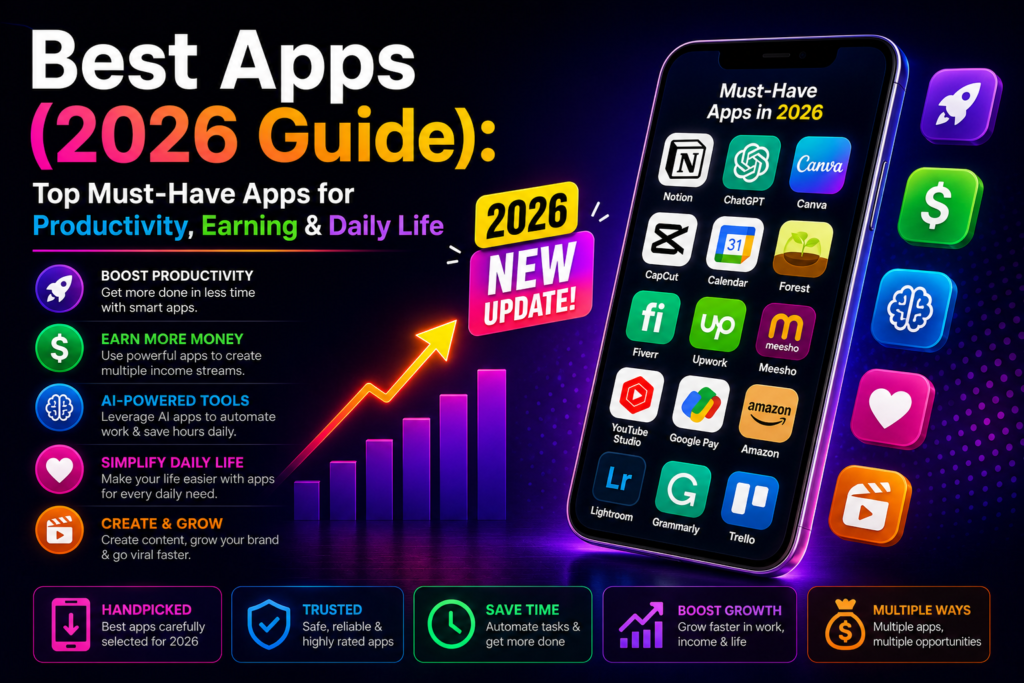
Imagine finishing your workday with a pile of tasks neatly completed, deadlines met, and a clear head. That is the promise of this guide: to show you how to boost productivity with ai tools, starting from the jobs you already do every day — not from a shopping list of software.
AI tools are not just buzzwords. They are practical solutions that automate repetitive tasks, sharpen decisions and free up hours for the work only a person can do. This guide is organised by the job, so you can find the right tool for the task in front of you, whether that is writing an email, planning a project or making sense of a spreadsheet.
Start with the job, not the tool
The fastest way to boost productivity with ai tools is to start with the job, not the app store. Most people lose over 30% of their day to repetitive tasks — copying data between apps, chasing email threads, formatting documents, updating statuses. Those are the tasks worth automating first, because the payoff is immediate and easy to measure.
Four benefits explain why AI tools help so much. Time savings: automate routine tasks and get the hours back. Accuracy: reduce human error in repetitive work. Scalability: handle larger workloads without hiring more staff. Insight: gain data-driven insights that lead to better decisions. Keep those four in mind as you read: the right tool is the one that delivers at least one of them for a job you do every week.
Boost productivity with AI tools across five everyday jobs
Below are fifteen tools, grouped by the job they do best. Pick one job — the one that eats most of your time — and try its first tool before you buy or install anything else.
Job 1: Write it — emails, posts and reports
Writing is where most people feel the time pressure first, because every email, post and report starts from a blank page. These three tools remove that blank page:
- ChatGPT — drafts emails, blog posts and reports from a short prompt. Best for: first drafts and brainstorming.
- Grammarly — an AI grammar and tone checker that polishes what you write. Best for: making messages clear and professional.
- Jasper AI — generates marketing copy in your brand’s voice. Best for: adverts, landing pages and social posts.
Job 2: Plan it — projects and tasks
Planning tools turn a messy to-do list into a schedule you can trust. Each of these adds an AI layer on top of the list itself:
- ClickUp — AI task prioritisation that surfaces what matters today. Best for: teams juggling many projects.
- Monday.com — automates status updates so nobody chases them by email. Best for: keeping a whole team in sync.
- Airtable — AI-powered data organisation for anything structured. Best for: trackers, inventories and content calendars.
Job 3: Answer it — email and calendar
Email and scheduling eat the day in small bites. These tools take the bites back:
- Superhuman — AI email triage that sorts the inbox by what needs you now. Best for: inboxes over a hundred messages a day.
- Calendly — automated scheduling that removes the back-and-forth of booking meetings. Best for: anyone whose calendar is a negotiation.
- Outlook AI Insights — suggests meeting times and agendas before you ask. Best for: Microsoft 365 users drowning in meetings.
Job 4: Design it — graphics and video
You do not need a design degree to make something look good any more. These tools do the heavy lifting:
- Canva AI Design Assistant — suggests layouts for posts, slides and documents. Best for: quick, on-brand visuals.
- Adobe Firefly — generates graphics from a text prompt. Best for: original images when stock photos will not do.
- Lumen5 — AI video creation that turns text into a short video. Best for: social media clips and explainers.
Job 5: Analyse it — data and decisions
Data only helps when someone reads it. These tools read it for you:
- Tableau AI — auto-explores data and flags the patterns worth a look. Best for: dashboards that answer questions.
- Power BI Insights — suggests visualisations for the data you already have. Best for: Microsoft-heavy workplaces.
- Google Analytics 4 — AI-driven audience segments that show who your visitors really are. Best for: website and app owners.
Build the workflow: three steps that make the tools work together
Tools alone will not make you productive — a workflow will. When you boost productivity with ai tools, the workflow matters more than any single app. Build it in three steps:
Step 1: Identify repetitive tasks
Track your time for a week. Highlight the tasks that take up over 30% of your day, then check which of them can be automated. If a task is repetitive, rule-based and eats an hour a week, it is a candidate.
Step 2: Choose the right AI tool
When selecting tools, consider integration capabilities with your existing software stack, ease of use and learning curve, and cost versus benefit. Three tools anchor most workflows: Zapier, which automates workflows between thousands of apps; OpenAI GPT-4, which generates content, answers and summaries; and Microsoft Power Automate, which streamlines business processes across Microsoft 365.
Step 3: Implement and iterate
Start with a pilot project, monitor the results, and adjust. A small win — one automated report, one triaged inbox — earns the trust to automate the next thing.
From data entry to decisions: where automation pays
Automation is not just about eliminating manual work; it is about enhancing the entire decision-making process. The biggest wins when you boost productivity with ai tools come from three places.
Data entry and management. AI-powered OCR and data extraction tools can ingest documents, spreadsheets and PDFs, converting them into clean data and cutting manual entry out of the picture almost entirely.
Customer support and engagement. Chatbots powered by natural language processing can handle FAQs, schedule appointments and even process simple transactions, so your team spends its time on the customers who genuinely need a person.
Predictive analytics. Machine learning models can analyse historic data to forecast sales trends, inventory needs and customer behaviour — turning last quarter’s numbers into next quarter’s plan.
Five AI trends to watch
The AI landscape evolves at breakneck speed, and the tools that boost productivity with ai tools today will look different in a year. To maintain a competitive edge, keep an eye on five emerging trends:
- Generative AI — writing, coding and content creation are the most widely used applications, and they are improving fastest.
- AI-powered cybersecurity — threat detection and response that learns from every attack.
- Edge AI — running models directly on devices, for faster responses and better privacy.
- AI ethics and governance — frameworks for using AI responsibly, which are fast becoming a requirement rather than a nicety.
- AI in augmented reality and the metaverse — immersive workspaces and training that are still early, but worth watching.
Subscribing to industry newsletters, attending webinars and participating in AI communities can help you stay informed without it becoming a second job.
Making it stick: how teams adopt AI
Tools alone will not make you productive. The human factor — training, mindset and process — matters as much as the software. This is how teams boost productivity with ai tools without the chaos:
- Educate teams — offer workshops on AI basics, so nobody is guessing in private.
- Create pilot projects — start small and scale up only what proves itself.
- Measure impact — track KPIs before and after AI adoption, so decisions rest on numbers.
- Iterate quickly — use agile principles to refine AI workflows a little at a time.
Four challenges — and how to handle them
Adoption is not always smooth. Every plan to boost productivity with ai tools runs into four obstacles, and each has a straightforward answer:
- Data quality — AI thrives on clean data, so fix the source before you automate anything that reads it.
- Security and privacy — ensure compliance with GDPR and CCPA, and never feed sensitive data into a tool you have not vetted.
- Bias and ethics — regularly audit models, because an AI trained on skewed data will make skewed decisions.
- Change management — communicate the benefits effectively; people adopt tools they understand, not tools imposed on them.
Measuring success: five KPIs for AI productivity
Track the following metrics to gauge your return on investment, and measure whether you actually boost productivity with ai tools — or only feel busier:
- Time saved per task — the simplest and most honest measure.
- Reduction in error rates — fewer mistakes means the automation is working.
- Employee satisfaction scores — tools that people hate will be abandoned, whatever the numbers say.
- Revenue growth attributable to AI — the hours saved, converted into output.
- Cost per transaction — the price of doing the same work, before and after.
Frequently Asked Questions About Boost Productivity With AI Tools
What is the best AI tool for small businesses?
Small businesses often benefit from Zapier combined with ChatGPT, because the pair covers both automation and content without a large budget or a technical team. The right answer still depends on your biggest time sink: if email is the problem, start with an email tool; if reporting is, start with a data tool. One tool that solves your worst job beats five that solve nothing.
How do I protect data when using AI?
Use encrypted connections, anonymise sensitive information before it reaches an AI tool, and check that the tool complies with the regulations that apply to you, such as GDPR and CCPA. Read the tool’s privacy policy — specifically what it stores and whether your data trains its models — before you upload anything confidential.
Can AI replace human jobs?
AI augments human capabilities; it rarely replaces the role entirely. It takes over the repetitive parts — drafting, sorting, summarising — and leaves the judgement, relationships and creativity to people. Jobs change shape, and the people who learn to direct the tools do the most interesting parts of the work.
What is the learning curve for AI tools?
Most modern tools have intuitive interfaces, so you can do something useful on the first day. Deeper expertise — prompt design, workflow building, measuring results — takes practice, but that is a week of small steps, not a course. Start with one tool and one task, and let the learning follow the need.
How often should I update my AI tools?
Regular updates ensure you benefit from new features, security fixes and performance improvements. Check for updates monthly, and review your toolset every quarter: if a tool is no longer saving time, replace it. The market moves fast enough that a better option appears every few months.
Which AI tool should I try first?
To boost productivity with ai tools, start with the job that steals the most time — for most people, that is writing or email. Pick one tool for that job, use it for two weeks, and measure the time it saves before adding a second. One proven tool beats a shelf of trials.
How much do AI productivity tools cost?
Many of the tools in this guide have free tiers that cover individual use, and paid plans usually start small and scale with your team. To boost productivity with ai tools you do not need a big budget; you need one tool that saves more hours than it costs. Compare the monthly price with the hours saved, and the answer is usually obvious.
Can AI tools work with the software I already use?
Yes — integration is the first thing to check before choosing a tool. Most established AI tools connect to the common suites (Google Workspace, Microsoft 365, Slack, Notion) directly, and automation tools such as Zapier and Power Automate bridge the gaps between the rest. If a tool cannot reach the software you live in, it is the wrong tool, however good it looks.
How do I measure whether an AI tool is actually saving time?
Measure before and after. Time one task before you automate it, then time it again two weeks later, and compare. The KPIs listed above — time saved per task, error reduction and cost per transaction — turn a feeling of being faster into a number you can trust. If the number does not move, drop the tool.
Are AI tools safe for company or client data?
They are safe when you choose them carefully. Use tools from established providers, check their security and compliance pages, anonymise sensitive information, and keep client data out of tools that train on user input. Your own policy matters too: agree, as a team, which tools may see which data.
The bottom line: You boost productivity with ai tools by matching one tool to one job, then measuring the result. Start with the task that eats over 30% of your day, pick its tool from the list above, and give it two weeks. That is the whole method — and it works because it is small enough to finish.
Keep Learning
- Top AI Tools for Small Business in 2024 — the best AI tools for small businesses, chosen for cost and ease of use.
- How to Make Money With ChatGPT: 15 Proven Methods for 2024 — fifteen ways to turn ChatGPT skills into income.
- Ultimate Guide to Mobile App Development in 2026 — the step-by-step blueprint for building an app from idea to launch.
- Ultimate AppTricko Guide: Mobile Tricks & Tech Hacks — ten mobile tricks and tech hacks that save time every day.
Official Resources
- Zapier — automate workflows between thousands of apps.
- OpenAI — the team behind GPT-4 and ChatGPT.
- Microsoft Power Automate — business process and workflow automation across Microsoft 365.

Dr Vivek Garg runs drviram.in — a tech blog about AI tools, apps, and online earning. Every guide here is tested hands-on before it is published.