
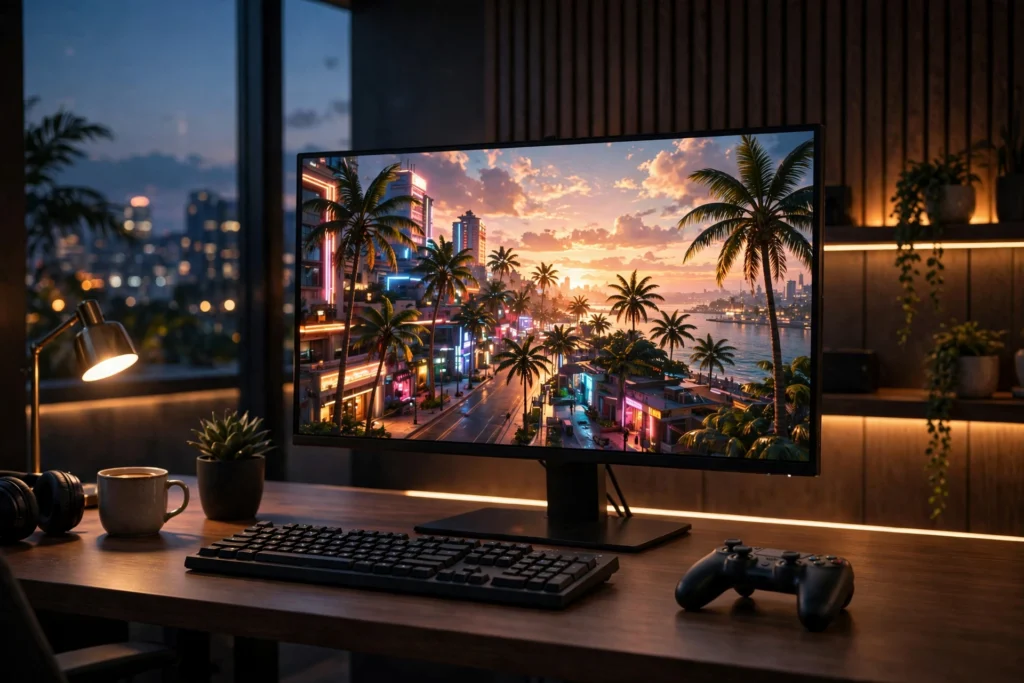
If you are shopping for a gta 6 best monitor in the USA, here is the honest truth most roundups skip: Grand Theft Auto 6 runs at 30 frames per second on PlayStation 5 and Xbox Series X|S, and Rockstar has confirmed there is no 60fps performance mode at launch. That single fact changes which display you should buy. A 240Hz esports monitor will not make Leonida run any smoother, because the game itself is capped at 30fps. What actually makes Vice City look incredible on your desk is resolution, color, HDR, and low input lag — not refresh rate. Below: the specs that matter, the best picks at three budgets, and the setup steps.
The One Fact That Changes Your GTA 6 Best Monitor Choice
Rockstar Games confirmed that GTA 6 targets 30 frames per second on PS5 and Xbox Series X|S, with no 60fps or 40fps mode at launch — not even on the more powerful PS5 Pro. Rockstar chose to spend the consoles’ power on the density and detail of Leonida — the crowded beaches, the neon of Ocean Drive, the wildlife of the Grassrivers — rather than on a higher frame rate. Coverage of the confirmation is summed up by Push Square’s report on the 30fps target, and official announcements live on the Rockstar Games Newswire.
So the most expensive monitor spec — extreme refresh rate — buys you almost nothing for GTA 6 on console. A 144Hz panel is still worth having for other games and the eventual PC version. What genuinely changes how the game looks and feels is 4K resolution, strong HDR, accurate color, and low input lag.
What Actually Matters in a GTA 6 Best Monitor
1. True 4K resolution (3840 x 2160). GTA 6 is built for 4K: on a 27-inch or 28-inch desk monitor it is razor sharp, while 1440p throws away detail the game was designed to show.
2. HDR that is actually bright. GTA 6’s sunsets, neon signs, and headlights live or die on HDR. Look for VESA DisplayHDR 600 or better; DisplayHDR 400 is the bare minimum and looks washed out. OLED panels do HDR best, because every pixel lights itself. See our GTA 6 HDR settings guide.
3. Low input lag. At 30fps, lag is felt more, not less: a good gaming monitor adds under 10ms in Game Mode, while a cheap office monitor can add 30ms or more.
4. HDMI 2.1. PS5 and Xbox Series X output 4K at up to 120Hz over HDMI 2.1, which also enables variable refresh rate (VRR). Even at 30fps, it future-proofs the display for other games and the PC version — do not buy a 4K monitor with only HDMI 2.0.
4K IPS vs QD-OLED vs VA: Which Panel Wins for Leonida?
| Panel type | Best for | HDR | Price range (USA) | Watch out for |
|---|---|---|---|---|
| 4K IPS | Best all-rounder | Good (HDR 600) | $389–$650 | Weaker blacks at night |
| QD-OLED | Best picture, period | Excellent | $800–$1,100 | Burn-in care; price |
| VA | Budget big screens | Decent | $250–$450 | Motion smearing |
For most players, 4K IPS is the sweet spot: great color, real HDR, half the price of OLED. QD-OLED is the connoisseur’s choice — night scenes and neon reflections look dramatically better. VA only makes sense for a large screen on a small budget. Torn between a monitor and a TV? Our GTA 6 best TV guide compares the two.
The Best Monitors for GTA 6 Compared
Best budget pick: Gigabyte M28U — around $389. This 28-inch 4K IPS monitor is the cheapest honest way into everything GTA 6 needs: true 4K, 144Hz, two full-bandwidth HDMI 2.1 ports, VRR, and 94% DCI-P3 color. Weaknesses are fair at the price: ~300-nit brightness means modest HDR, and the stand is basic. For under $400, nothing else gives you 4K plus HDMI 2.1 plus low input lag. Check the Gigabyte M28U price on Amazon.
Best mid-range pick: Samsung Odyssey G70B — around $480. Samsung’s 28-inch 4K IPS panel adds a brighter picture, HDR 400, 144Hz with 1ms response, and G-Sync plus FreeSync Premium Pro. It handles both PS5 and Xbox Series X without cable swapping. It costs roughly $90 more than the Gigabyte, and that money buys brightness and build quality. Check the Samsung Odyssey G70B price on Amazon.
Best premium pick: 32-inch QD-OLED 4K, around $900–$1,100. If money is no object, a 32-inch QD-OLED 4K monitor is the best way to see Leonida: perfect blacks, vivid color, and a 240Hz panel ready for the PC version. The category leader is the ASUS ROG Swift OLED PG32UCDM. Two warnings: QD-OLED needs basic burn-in care, and you pay triple the budget pick for a picture improvement, not gameplay — GTA 6 still runs at 30fps either way.
Best for small desks: 27-inch 4K IPS. A 27-inch 4K screen is sharper than a 28-inch one (higher pixel density) and fits anywhere. The LG UltraGear 27GP950-B is the classic of this class: 27-inch Nano IPS, 4K, 144Hz (overclockable to 160Hz), HDMI 2.1, and DisplayHDR 600, usually around $650 or less on sale.
Monitor vs TV for GTA 6: Which Should You Choose?
A monitor wins at a desk, with a headset, for the sharpest image per dollar. A TV wins from a couch, shared, or bigger than 32 inches. Distance decides: at 2–3 feet, a 27-inch or 28-inch 4K monitor looks sharper than any TV; at 6–10 feet, a TV’s size matters more. If you already own a decent 4K TV, spend the money on the Ultimate Edition or a better headset instead. Either way, read our GTA 6 graphics settings guide after you buy.
How to Set Up Your New Monitor for GTA 6
Step 1: Use the right port and cable. Plug the console into the monitor’s HDMI 2.1 port with the cable that came with the console, or a certified Ultra High Speed HDMI cable. An old HDMI cable can silently cap you at 4K 60Hz or worse.
Step 2: Turn on Game Mode. Enable the monitor’s Game Mode in its on-screen menu before judging the picture — it cuts input lag dramatically, and at 30fps you will feel it in every turn.
Step 3: Enable 4K and HDR on the console. On PS5: Settings > Screen and Video > Video Output, confirm 4K, then run Adjust HDR. On Xbox: Settings > General > TV & display options. If HDR looks washed out, re-run the console’s HDR calibration — the most common fix.
Step 4: Enable VRR. On PS5 it is under Settings > Screen and Video > VRR; on Xbox, under TV & display options. VRR smooths out small frame-rate dips in the busiest parts of Vice City. If you are still unsure whether a higher frame rate is coming, our GTA 6 60fps guide explains what Rockstar has and has not promised.
What NOT to Buy for GTA 6
Three purchases waste money here. First, a 1080p monitor: GTA 6 is a 4K showcase, and 1080p throws away half the detail. Second, a monitor sold mainly on a 240Hz or 360Hz refresh rate with a mediocre panel: you pay for speed the game cannot use, while the color and contrast you actually see are worse than a cheaper 4K IPS display. Third, an ultrawide monitor for console play: PS5 and Xbox output 16:9, so an ultrawide shows black bars and wastes a third of the panel. Beware any listing promising “GTA 6 120fps” or “GTA 6 60fps mode” on console — that is marketing fiction.
GTA 6 Best Monitor FAQ
Do I need a 144Hz monitor for GTA 6? No. GTA 6 runs at 30fps on PS5 and Xbox Series X|S with no 60fps mode at launch, so 144Hz does not make this game smoother. Buy it for other games and the future PC version.
Is 4K worth it for GTA 6 on a monitor? Yes — it is the single biggest visible upgrade on a desk setup. At 27–28 inches, 4K is dramatically sharper than 1440p, and Leonida’s detail is built for it.
Does GTA 6 support HDR on PS5 and Xbox? Yes, on both consoles. For the best result, use a monitor rated DisplayHDR 600 or better and run your console’s HDR calibration before your first session.
Do I need HDMI 2.1 for GTA 6? Not strictly for GTA 6 at 30fps, but yes for a future-proof purchase. HDMI 2.1 enables 4K 120Hz and VRR, and any 4K monitor you buy in 2026 should have at least one HDMI 2.1 port.
Can I use my existing monitor for GTA 6? Almost certainly yes — any 1080p or 4K display with an HDMI port runs the game. Upgrade only if your screen is 1080p, has bad input lag, or lacks HDR.
The Bottom Line
The gta 6 best monitor is not the fastest or the most expensive one — it is the 4K display with good HDR, accurate color, low input lag, and an HDMI 2.1 port. For most players in the USA, that is the Gigabyte M28U at around $389: every spec that matters, nothing you will not use. If you want a brighter, better-built screen, step up to the Samsung Odyssey G70B at around $480. And if you want the absolute best picture Leonida can offer, a 32-inch QD-OLED is waiting — just know it improves the view, not the frame rate. Set it up, calibrate HDR once, and go play — Vice City is waiting.
As an Amazon Associate, I earn from qualifying purchases.

Dr Vivek Garg runs drviram.in — a tech blog about AI tools, apps, and online earning. Every guide here is tested hands-on before it is published.

