Every good YouTube video starts long before the camera rolls. It starts with a script that knows where it is going, hooks the viewer in the first few seconds, and keeps them watching until the end. Writing that script from a blank page is the hardest part for most creators, which is why so many now turn to AI for help. The best free ai tools for writing youtube scripts can take a rough idea and turn it into a structured outline, a full draft, or a polished hook — but they are not all the same. Some are great at brainstorming, others at rewriting in your voice, and a few are built specifically for YouTube.
In this guide, we compare six free tools you can use today. Each one has a free plan available, so you can test them without paying anything, and we will show you exactly what each tool is best for.
1. ChatGPT
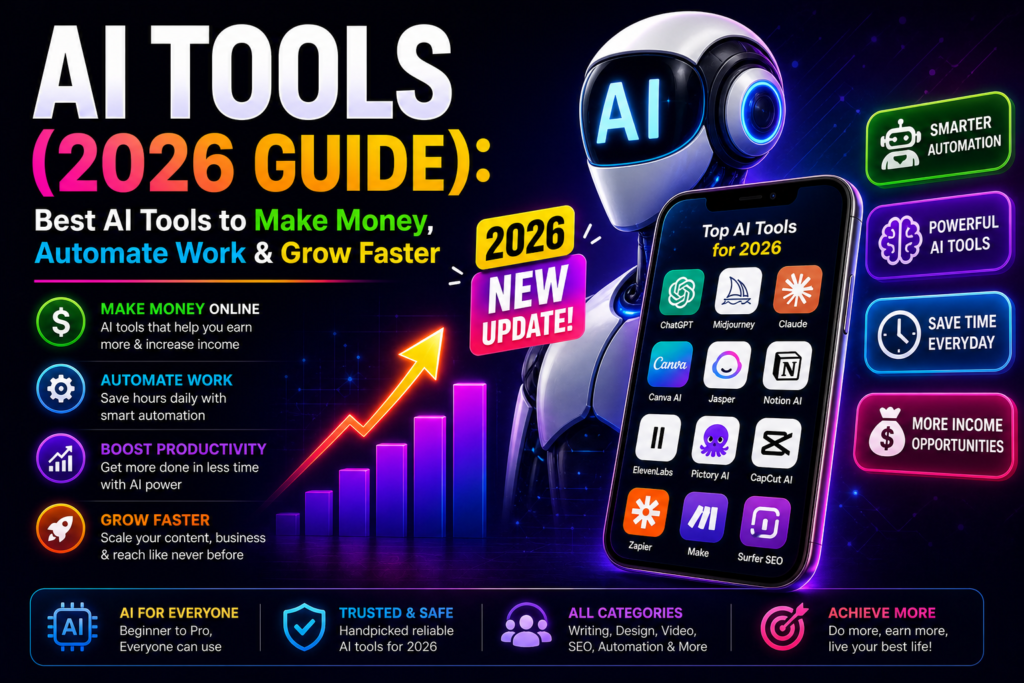
ChatGPT is the most versatile option on this list, and for most creators it is the best place to start. You can ask it to write a full script from a title, turn bullet points into a natural spoken script, or rewrite a dull intro into something that grabs attention. It is especially strong when you give it clear instructions about tone, length, and audience. If you are new to prompting, our guide on how to write better AI prompts will help you get much better results from it.
Free tier: A free plan is available with access to the core chat features.
Best for: General script writing, hooks, titles, and rewriting drafts in your voice.
Watch out for: The first draft often sounds generic. Always edit it, add your own examples, and read it aloud before recording.
2. Claude
Claude is a strong choice when you want scripts that sound natural and conversational. It handles long documents well, so you can paste in your research notes or a rough draft and ask it to restructure the whole thing into a tight, flowing script. Many creators prefer Claude for storytelling videos because its writing feels less robotic than other AI tools.
Free tier: A free plan is available with a daily usage limit.
Best for: Long-form scripts, storytelling, and turning messy notes into a clean structure.
Watch out for: It can be cautious and wordy. Ask it to keep sentences short and punchy for spoken delivery.
3. Gemini
Gemini is Google’s AI assistant, and its biggest advantage is that it connects well with Google’s ecosystem. You can use it to research a topic, summarise articles, and draft scripts based on what is currently trending. If you already use Google Docs, you can draft your script there and use Gemini to refine it without switching apps.
Free tier: A free plan is available.
Best for: Research-heavy scripts, quick outlines, and creators who live in Google Docs.
Watch out for: Like all AI tools, it can get facts wrong. Verify any claim, number, or quote before you record it.
4. VidIQ
VidIQ is different from the other tools here because it is built specifically for YouTube. Its AI features help you generate video ideas, titles, and script outlines based on what is actually working in your niche. You can also use it to check how competitive a topic is before you spend hours writing about it. It pairs well with a general writing tool: use VidIQ to plan the video, then write the script with ChatGPT or Claude.
Free tier: A free plan is available with basic features.
Best for: Topic research, titles, and script outlines that match what viewers search for.
Watch out for: The free plan has limits, so use it for planning rather than writing every word.
5. Jasper
Jasper is a writing assistant aimed at marketers and content creators, and it includes templates designed for video scripts. You can pick a template, fill in your topic and audience, and get a structured draft in minutes. It is a good option if you make videos regularly and want a repeatable process rather than starting from scratch every time.
Free tier: A free trial is available, with a free plan for limited use in some regions.
Best for: Structured scripts, marketing videos, and creators who publish on a schedule.
Watch out for: The templates can make scripts feel formulaic. Personalise the examples and the opening hook every time.
6. Writesonic
Writesonic offers an AI article and script writer that can turn a short brief into a full draft. It is useful when you need a script quickly, for example for a faceless channel or a news-style video where speed matters. It also has tools for rewriting and summarising, which help when you want to turn a long blog post into a short video script.
Free tier: A free plan is available with a limited number of generations.
Best for: Fast first drafts, repurposing written content into video scripts, and faceless channels.
Watch out for: Short scripts come out better than long ones. Break a long video into sections and generate each one separately.
How to Choose the Best Free AI Tools for Writing YouTube Scripts
With six good options, the best choice depends on how you work. If you want one tool that does everything, start with ChatGPT or Claude. If you make story-driven videos, Claude’s natural tone is hard to beat. If your videos need research and current information, Gemini is the practical pick. And if you want your scripts to match what viewers are actually searching for, add VidIQ to your planning step.
Whatever tool you pick, remember that AI writes the draft, not the video. Your job is to make it sound like you. Read every script out loud, cut anything that feels stiff, and add your own stories and examples. That is what turns an AI draft into a video people actually finish.
Once your script is ready, the next step is production. Our guide to AI video generation tools shows how to turn text into visuals, and if your channel is faceless, the faceless YouTube channel starter guide walks you through the setup. Captions matter too — see our roundup of free AI subtitle generators to make your videos easier to watch. For official guidance on what YouTube expects from creators, the YouTube Help Center is the best place to check.
Final Thoughts
The best free ai tools for writing youtube scripts will not replace your creativity, but they will remove the blank-page problem that stops so many creators from uploading consistently. Pick one tool, use it for your next three videos, and judge it by how much faster you finish scripts — not by how perfect the first draft looks. A good script, written with AI help and finished with your own voice, is the simplest upgrade you can make to your channel this week.

Dr Vivek Garg runs drviram.in — a tech blog about AI tools, apps, and online earning. Every guide here is tested hands-on before it is published.