
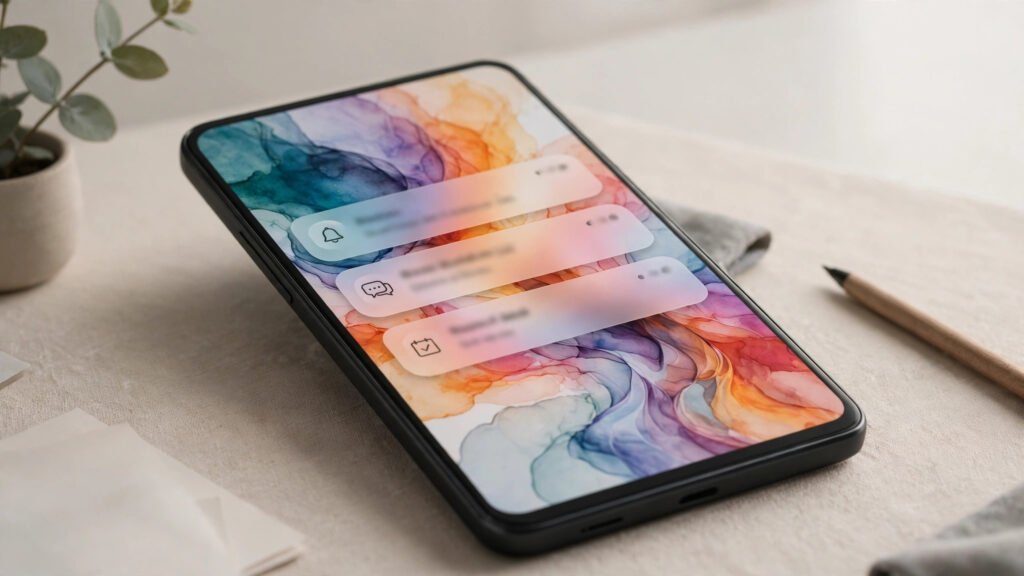
Android 16 arrived on Pixel phones first and is now reaching other brands through their own updates. It is not a visual redesign; it is a practical update, full of small changes that make daily phone use smoother and safer. These are the android 16 features 2026 worth knowing about, followed by the questions everyone asks before updating.
Android 16 Features 2026: The 10 That Matter
1. Live Updates. Ongoing activities such as food delivery or a taxi ride now appear as a live notification that updates in real time, so you can see progress at a glance instead of opening the app.
2. Notification Cooldown. When several notifications arrive from the same app in quick succession, Android now lowers the volume of the later ones. Group chats stop shouting at you.
3. Advanced Protection. One switch in Settings turns on a bundle of strong security: it blocks unsafe app installs, tightens USB protection, and disables risky connections. It is designed for people who want maximum security without changing ten settings by hand.
4. Desktop mode on large screens. On tablets and foldables, Android 16 offers a desktop-style windowing mode: apps open in resizable windows you can move around, much closer to a laptop than a phone.
5. Auracast audio sharing. You can now broadcast your phone’s audio to nearby Auracast-enabled headphones and hearing aids, so several people can listen to the same thing from one phone.
6. Predictive back. The back gesture now previews where you are going before you let go, so you stop landing on the home screen by accident.
7. Health Connect updates. Health Connect can now store medical records alongside fitness data, with your permission, so health apps can show a fuller picture in one place.
8. Better photo picker. The system photo picker now lets you search your photos and pick from cloud albums without giving an app access to your whole gallery.
9. Battery health indicator. Pixel phones now show battery health in Settings, so you can see how much capacity your battery has lost and whether a replacement is worth it.
10. Local network protection. Apps must now ask before scanning for devices on your local Wi-Fi network, which stops apps quietly discovering your TV, printer and smart home devices. This pairs with the permission habits in our guide to Android app permissions.
Android 16 Features 2026: Frequently Asked Questions
Which phones get Android 16?
Google Pixel phones get it first, starting with recent models. Samsung, OnePlus, Xiaomi and other brands roll it out through their own updates over the following months. If your phone is more than three or four years old, check your manufacturer’s update page; older models may not get it at all. If you are setting up a new handset, the new Android phone setup checklist covers the first steps.
How do I check if the update is available?
Go to Settings, then System, then Software update, and tap Check for update. If it says your phone is up to date but friends with the same model already have it, wait: rollouts reach devices in waves over days or weeks.
Is it safe to update right away?
For most people, yes. But wait a week if your phone is your only device for work, and back up first. A full backup takes ten minutes and saves hours if anything goes wrong. Keep your screen time in check after the update too; the Digital Wellbeing settings still work the same way.
How do I turn on Live Updates?
Live Updates work automatically for apps that support them, such as food delivery and ride-hailing apps. If one is not showing, check the app’s notification settings and make sure notifications are allowed. You do not need to enable anything in Android itself.
What does Advanced Protection actually do?
It is a single switch that turns on several protections at once: it blocks installing apps from unknown sources, disables 2G connections, and locks the USB port when the phone is locked. It is meant for people at higher risk, such as journalists or public figures, but anyone can turn it on in Settings under Security. It may block a few things you normally do, so try it for a week and turn it off if it gets in the way.
Will Android 16 drain my battery?
A new version can use slightly more battery for the first day or two while it re-indexes and settles. After that, battery life is usually the same or slightly better, because Android 16 is stricter about background apps. If the drain continues, check which app is using the battery in Settings, then Battery.
Can I go back to Android 15?
Not easily. Going back usually needs a factory reset, which erases everything, and it is not officially supported on most phones. That is why the backup-before-updating advice matters. If an app misbehaves after the update, try clearing its cache before considering anything drastic.
What is Auracast, and do I need new headphones?
Auracast is a Bluetooth feature that lets one phone broadcast audio to many listeners. You need Auracast-compatible earbuds or hearing aids to receive it, so for most people it is a feature for the future, not today. If you are buying new earbuds this year, look for Auracast support on the box.
Does predictive back work in every app?
It works in apps that have been updated for it, and in the system itself. Older apps fall back to the normal back gesture. Over time, as developers update their apps, it becomes the default everywhere.
Where can I read the official list?
Google publishes the full release notes on the Android developers site at developer.android.com/about/versions/16, including the details for each feature and which devices support it. It is the most reliable source if a feature is not behaving as described here.
Should You Update Now?
If the update is offered on your phone, and you have backed up, install it. The headline features — Live Updates, Notification Cooldown, Advanced Protection — are genuinely useful, and the rest quietly improve things in the background. Android 16 is an update about polish, not novelty. If you use Circle to Search or any of the AI features on your phone, those keep working exactly as before.
That is the android 16 features 2026 guide in short: ten features worth trying, ten questions answered, and one piece of advice — back up, update, and turn on Advanced Protection if you want the strongest security your phone offers.

Dr Vivek Garg runs drviram.in — a tech blog about AI tools, apps, and online earning. Every guide here is tested hands-on before it is published.

Pingback: Slow Android Phone Myths vs Facts 2026: 7 Myths That Waste Time
Pingback: android battery saving myths: 7 Myths That Drain Battery