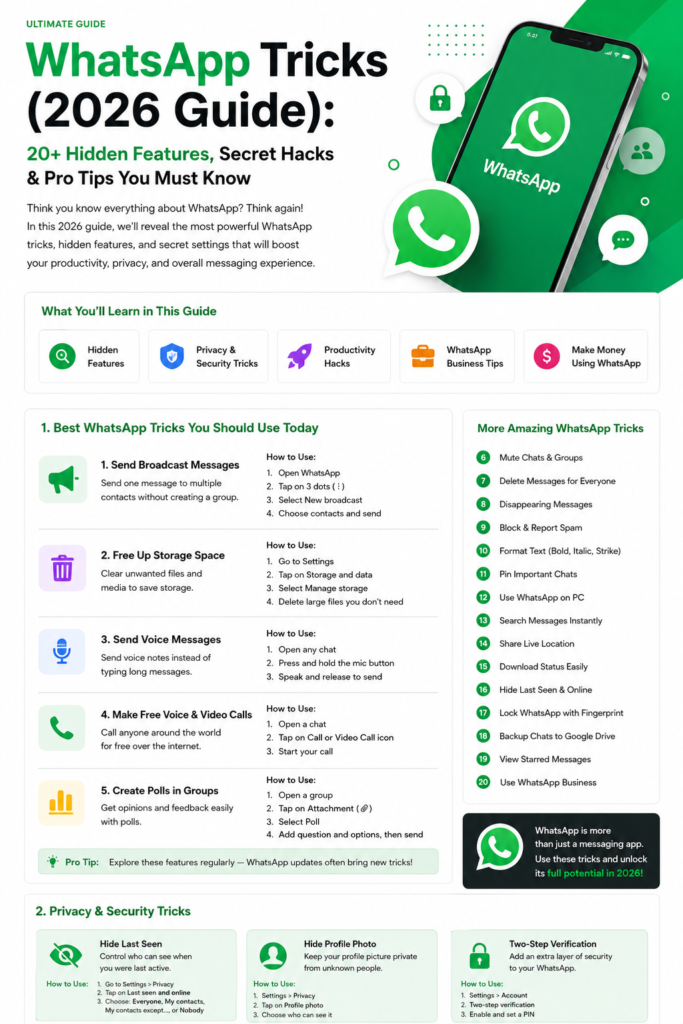
Most people type plain messages on WhatsApp every day and never realise the app hides a small set of text formatting tools. Learning how to format text on WhatsApp 2026 style is not about showing off. It is about making the important part of your message stand out. You need no extra app or setting change. The formatting is built into WhatsApp, and once you know the few symbols involved, you can use it in every chat.
The idea is simple: the symbols you type around your words tell WhatsApp how to display them. If you can type an asterisk, you can format text on WhatsApp. Formatting is just one of several hidden WhatsApp features most users never discover, and it works in personal chats, group chats, and messages you send to yourself.
WhatsApp Text Formatting Codes: Quick-Reference Table
Keep this table handy until the codes become muscle memory.
| Format | Code to type | What you get |
|---|---|---|
| Bold | *text* | text |
| Italic | _text_ | text |
| Strikethrough | ~text~ | |
| Monospace | “`text“` | text |
| Bullet list | – item on each line | A bulleted list |
| Numbered list | 1. item, 2. item, and so on | A numbered list |
Two rules apply: no space between the symbol and the word — type *important*, not * important * — and the symbols disappear once you send the message, so the reader sees only the formatted text.
How to Format Text on WhatsApp 2026 on Android and iPhone
Two methods work the same on Android and iPhone: typing the codes is faster once you know them, while the menu is easier for long messages.
Method 1: Type the Symbols Yourself
Open any chat and wrap the formatting symbols around the words you want to change. Typing *meeting at 5 pm* makes the phrase bold, while _please confirm_ makes it italic. For a list, put a dash and a space before each item on its own line, or number each line from 1.
If you do not want to remember symbols, type your message normally first, then long-press the words you want to format and drag the selection handles. On Android, tap the three-dot menu and choose Bold, Italic, Strikethrough, or Monospace. On iPhone, tap BIU and pick the format you want. WhatsApp adds the symbols for you. This is handy when you have already typed a long message and only want to emphasise one sentence in it. Tidier chats help too: learning how WhatsApp chat filters work keeps your inbox organised.
Check your message before sending it. The symbols stay visible while you type, so you can spot a missing asterisk before you press send. You cannot reformat a message after sending it without deleting and retyping it. If a code ever behaves differently after an update, the WhatsApp Help Center is the most reliable place to check what changed.
Frequently Asked Questions About WhatsApp Text Formatting
These are the questions people ask most often after learning how to format text on WhatsApp 2026 for the first time.
Why is my bold text not working?
The most common reason is a space between the symbol and the word. WhatsApp only recognises *bold* when the asterisks touch the letters, so * bold* stays plain. The second common reason is an unmatched symbol, such as one asterisk at the start and none at the end. The third possibility is a field that does not support formatting, such as a contact name. Check your symbols, then try again in a normal chat message.
Can I combine bold and italic in the same message?
Yes. You can use one format for one word and another for a different word in the same message, for example *important* and _please read_. You can also stack formats on the same word, such as *_very important_* for bold italic text. Close each symbol in the reverse order you opened it, otherwise WhatsApp may ignore the formatting.
Does formatting work on WhatsApp Web and Desktop?
Yes, formatting works on WhatsApp Web and the Desktop app in exactly the same way as on your phone. Type the same symbols from your computer keyboard and the message appears formatted on every device. The long-press menu is replaced by selecting text and using the formatting options that appear. Note that WhatsApp Web mirrors your phone, so it needs your phone online.
Can I use formatting in Status and Channels?
Formatting works in text Status updates, because a text Status is essentially a message with a background colour, and the same codes apply. Channels are different: they are more like broadcasts, and formatting support there can be limited depending on your app version. For the privacy side of Status, our guide on WhatsApp Status privacy settings explains who can see your updates and how to control that audience.
Does the other person need to do anything to see my formatting?
No, the other person does not need to enable or install anything. The reader sees the bold, italic, or list exactly as you intended, on Android, iPhone, WhatsApp Web, or Desktop. The only exception is someone using a very old version of WhatsApp, who might see the raw symbols instead. Asking them to update the app usually fixes it.
Can I format text in group descriptions and About?
No. Group descriptions do not support text formatting, so bold and italic codes typed there appear as plain text with the symbols visible. The same is true of your About line, your profile name, and contact names. Formatting is meant for messages, Status text, and broadcast lists.
Do formatting codes work in every language?
Yes, the codes work with text in any language, including Hindi, English, and other Indian languages, because the symbols are separate from the letters they wrap around. You can make a Hindi word bold with *नमस्ते* just as easily as an English word. Some keyboards hide the asterisk on a second symbols page.
The Bottom Line
WhatsApp text formatting is a small skill with a big payoff. A bold deadline or a tidy numbered list can turn a confusing message into a clear one, and it costs nothing but a few symbols. Start with bold for the one thing that matters most, and try a bullet list the next time you send instructions to a group. You can even make your own custom WhatsApp stickers without any extra app.

Dr Vivek Garg runs drviram.in — a tech blog about AI tools, apps, and online earning. Every guide here is tested hands-on before it is published.