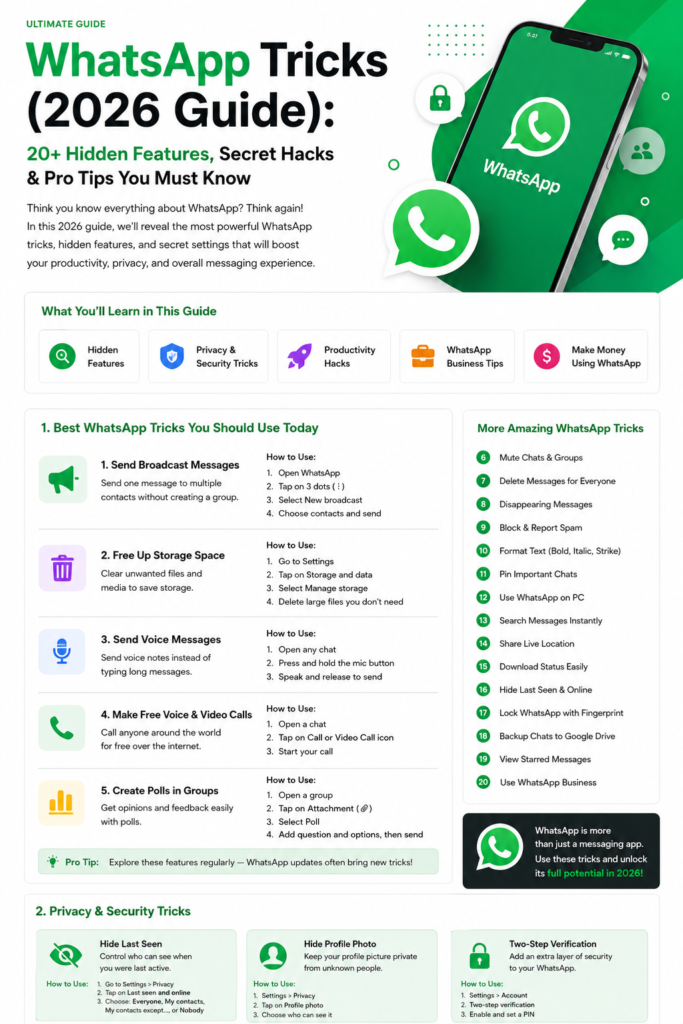
WhatsApp polls let people collect quick responses inside a chat instead of sending a long chain of messages. They can help a family choose a date, a team decide between options, or a channel creator ask followers what they want to see next. The most important thing is to choose the right poll settings and understand who can see the responses.
How to Create a WhatsApp Poll
The menu labels can vary slightly by device and app version, but the usual process is:
- Open the individual chat or group where you want to ask the question.
- On Android, tap the paperclip attachment icon. On iPhone, tap the plus (+) button.
- Choose Poll from the available options.
- Enter a short, neutral question that makes the choice clear.
- Add the answer options. Keep them distinct so people can tell them apart.
- Review the multiple-answer setting and decide whether people should be able to select more than one option.
- Check the question and options, then tap Send.
If Poll is missing, update WhatsApp from the official app store and check whether the feature is available for your account and chat type. Do not install an unofficial modified version to unlock it.
Choose the Right Poll Settings
Allow multiple answers
Use a single-answer poll when the group needs to choose one date, location, or decision. Enable multiple answers when several choices may apply, such as “Which topics would you like us to cover?” or “Which days are you available?” Make the question explicit so voters understand what you expect.
Write balanced answer options
Avoid overlapping choices such as “morning” and “before noon,” which may mean almost the same thing. If the poll is about a date or time, include the relevant time zone. If none of the options may work, consider adding “Other — reply in chat” so people are not forced into an inaccurate answer.
Check before sending
Read the poll as if you were a participant. Is the question clear? Are the options mutually exclusive when only one answer is allowed? Is more than one answer genuinely useful? Correct the wording before sending because editing options after a poll has been sent may not be available in the app.
How to View and Change Votes
Participants can tap an option to vote. When multiple answers are enabled, they can select more than one option. Poll creators and participants can review the displayed results in the poll message; the exact controls and visibility depend on the chat type and current WhatsApp version.
In group chats, poll responses are generally not a secret ballot: participants may be able to inspect vote details. Do not use a group poll for sensitive subjects such as health, salary, political views, or private employee feedback. If anonymity is important, use a survey tool that clearly explains its privacy settings rather than assuming a WhatsApp poll is anonymous.
Polls in Groups, Communities and Channels
- Individual chats: useful for choosing between a few options with one person.
- Groups: useful for event planning, shared decisions, and coordinating tasks. Remember that group members may be able to see vote details.
- Communities: polls can help gather input in the relevant group. Choose the group whose members are actually affected by the decision.
- Channels: useful for lightweight audience feedback. Review the current channel poll interface and privacy behavior before asking a question, especially if the topic is sensitive.
Features can change as WhatsApp updates its apps. For current behavior and supported options, consult the official WhatsApp Help Center.
Practical Ways to Use WhatsApp Polls
- Plan an event: ask which of a few proposed dates works for attendees.
- Choose a meeting time: list time slots and include the time zone for remote teams.
- Collect topic ideas: let a community or channel audience choose future discussion topics.
- Coordinate a shared task: ask who can bring supplies or handle a specific responsibility.
- Prioritize a short list: allow multiple answers when the group can support more than one option.
- Run a classroom knowledge check: use a simple, low-stakes question to start a discussion, then explain the answer.
- Ask for product feedback: gather non-sensitive preferences, then follow up with a more detailed feedback method if needed.
Common Poll Problems and How to Fix Them
- Poll option is missing: update the official WhatsApp app and check the available attachment menu.
- People misunderstand the question: use a shorter question and more specific answer choices.
- Results are inconclusive: the options may overlap, the group may be too small, or participants may not have responded. Follow up in chat rather than treating a small sample as representative.
- Someone selected the wrong option: ask them to check whether the poll allows them to change their vote; the available behavior may depend on the poll and app version.
- The poll is no longer relevant: explain the decision in the chat and avoid leaving participants unsure about the outcome.
Poll Etiquette and Privacy
Use polls only when the group needs them. Keep the question neutral, avoid pressuring people to vote, and explain how the result will be used. Do not ask for passwords, account details, medical information, or other sensitive data in a poll. For workplace decisions, do not treat a visible group poll as anonymous employee feedback.
When a poll closes or a decision is made, post a short update explaining the outcome. If the poll is only informal, say so; a quick vote should not be presented as a formal survey or representative research.
Frequently Asked Questions
Can I create a WhatsApp poll on Android and iPhone?
Yes, where the feature is available. Open a chat, use the attachment or plus menu, choose Poll, and enter the question and options. Menu labels may differ by app version.
Can people choose more than one option?
The poll creator can use the multiple-answer setting where available. Turn it on when several options may apply and leave it off when the group must choose one answer.
Are WhatsApp group polls anonymous?
Do not assume they are. Vote details may be visible to participants in a group. Avoid using WhatsApp polls for sensitive or confidential questions.
Can I edit a poll after sending it?
Editing options may not be available after sending. Review the question and choices before posting. If a correction is needed, check the controls in your current app version and, if necessary, send a corrected poll with an explanation.
Why can’t I see the Poll option?
Update WhatsApp through the official store, reopen the chat, and check the attachment menu. Feature availability and interface details can vary by app version and chat type.
Can I use a poll for formal research?
A WhatsApp poll is best for informal feedback. For formal research, use a survey method with an appropriate sampling plan, consent process, privacy information, and data handling controls.
Final Takeaway
WhatsApp polls are most useful when the question is simple, the options are clear, and participants understand how their votes may be seen. Choose single or multiple answers intentionally, avoid sensitive topics, and always share the decision or next step after the poll. Check the official Help Center when you need the latest feature details.
Related WhatsApp guides: WhatsApp group admin settings, WhatsApp Communities, and WhatsApp Channels.