
How to Play GTA 6 in First Person: The Complete Glitch Guide (2026)
Quick Answer: How to play GTA 6 in first person: there is no official first-person mode at launch, but a camera glitch unlocks one. Remap the Touch Pad button (PS5) or View button (Xbox) to Camera in Settings > Controller, sit in a car’s driver seat, open your phone with Up on the D-pad, then close the phone with Circle/B while mashing the camera button. If the timing is right, the phone disappears and the first-person view stays — and you can then get out and explore Leonida on foot in first person. The only way back to third person is reloading a save, so save first.
Grand Theft Auto VI launched on November 19, 2026, for PlayStation 5 and Xbox Series X|S, and it launched in third person only. Rockstar never advertised a first-person mode, and the settings menu has no camera option for one. Yet within days of launch, players found that the game already contains a working first-person camera — hidden behind a quirk in how the phone camera works. This guide explains how to play GTA 6 in first person using that glitch, what works once you are in it, how to get out again, and the one official first-person feature the game does have.
Does GTA 6 Have a First-Person Mode?
No — not officially, and not at launch. GTA 6 has no first-person mode in its settings, and Rockstar has not announced one. The game is designed around the third-person camera, and every mission, cutscene and activity assumes that view.
That does not mean first person is impossible. When your character looks at their in-game phone, the camera automatically switches to a first-person view of the phone screen. The glitch works by freezing that camera in place at the exact moment the phone is put away, leaving you with a genuine first-person perspective — through Jason’s or Lucia’s eyes — that you can keep on foot, in a car, or in a firefight.
GTA 5 launched in third person only, and Rockstar added a full first-person mode later — and several guides note this glitch works suspiciously well, which suggests first-person support may already be built in, waiting for a future update. That is speculation, not a promise. For now, the glitch is the only way to play the whole game in first person.
How to Play GTA 6 in First Person: The Camera Glitch
The method works on both PS5 and Xbox Series X|S, and it takes about a minute to set up. The trick was first demonstrated on YouTube by creators oneboyler and OrangeGuy shortly after launch, and it has since been confirmed by multiple guides.
Step 1: Save your game first
Before you touch any settings, make a manual save. The glitch has no off switch — the only way back to third person is reloading a save. Save at a safehouse bed or through the pause menu, and do not start the glitch in the middle of a mission you care about. Our guide on how to save your game in GTA 6 (https://drviram.in/gta-6-how-to-save-game/) explains the manual-save options.
Pause the game and open Settings > Controller. Scroll down to the Touch Pad Button on PS5, or the View Button on Xbox, and change it from Map (1/2) to Camera (2/2). This is the one setting change the whole trick depends on: the button that normally opens your map will now adjust the camera instead.
One side effect: while this setting is active, pressing the Touch Pad or View button no longer opens the map directly. You can still reach the map through the pause menu — but remember to change the setting back to Map when you are done experimenting.
Step 3: Sit in a car’s driver seat
Get into any vehicle and take the driver’s seat. The glitch only triggers from inside a car — it does not work standing on the street. Any car will do; a parked one is easiest, because you do not have to steer while you are pressing buttons.
Step 4: Open your phone
Press Up on the D-pad to open your character’s phone. The moment the phone comes up, the camera switches to first person — you are looking at the phone screen through your character’s eyes. This is the view you are about to keep.
Press Circle on PS5 or B on Xbox to put the phone away, and at the same time — immediately, within the first frame or two of the closing animation — rapidly press the Touch Pad (PS5) or View button (Xbox) several times. The timing window is tiny, which is why this step takes most people a few attempts.
If it works, the phone disappears but the camera stays in first person. You will see the steering wheel and the dashboard from the driver’s point of view. If the camera snaps back to third person, nothing is broken — just open the phone again and repeat steps 4 and 5. Most players get it within three or four tries once they start pressing the camera button at the same moment they press Circle or B, rather than waiting for the phone to close first. Once the glitch is active, you can leave the vehicle and the first-person view stays with you.
First-Person Controls on PS5 and Xbox
The controls are almost identical on both platforms. The only difference is which button triggers the camera:
| Action | PS5 | Xbox Series X/S |
|---|---|---|
| Change camera setting | Settings > Controller > Touch Pad Button > Camera (2/2) | Settings > Controller > View Button > Camera (2/2) |
| Open phone | Up on the D-pad | Up on the D-pad |
| Close phone | Circle | B |
| Activate the glitch | Rapidly press Touch Pad after closing phone | Rapidly press View after closing phone |
| Open map (while remapped) | Pause menu | Pause menu |
Everything else — movement, driving, aiming, shooting — works with the normal controls. If you have already tuned your setup, our GTA 6 controller settings guide (https://drviram.in/gta-6-controller-settings/) covers the rest of the options worth changing.
What You Can Do in First Person in GTA 6
The surprising thing about this glitch is how much of the game still works:
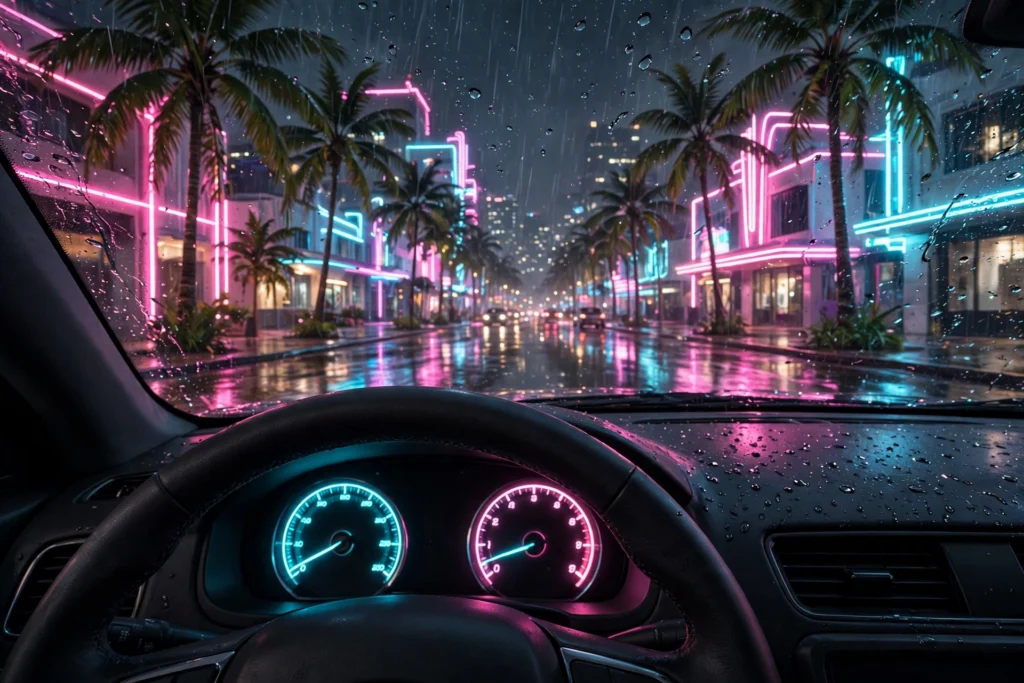
- Driving. The big one. Driving in first person, watching the streets of Vice City slide past the windscreen with the city lights reflecting off the bonnet, is the main reason most players try this. Steering, acceleration and braking all work normally.
- Walking and exploring. You can leave the car and keep the view, so the glitch is a good way to tour Leonida from ground level.
- Shooting. Equip a weapon and the first-person view stays active. Aiming works, and the gun animations are compatible with the view, so firefights are playable rather than just a novelty.
There are limits, and they are worth knowing before you plan a session around the glitch:
- Shop and garage menus reset it. Anything that forces a different camera angle — buying something at Ammu-Nation, entering a vehicle customisation menu, some cutscenes — can knock the camera back to third person, and you will have to redo the glitch.
- Some animations look rough. The mode was not officially finished, so certain animations can look awkward in first person, particularly in tight spaces or during scripted sequences.
- Missions are a risk. Because the only way out is reloading a save, starting a mission in first-person mode puts any progress you make at risk. Save before you try, and do not attempt a mission you cannot afford to replay.
How to Exit First-Person Mode in GTA 6
There is no button to switch back. The glitch has no toggle, no menu option and no quick exit — reloading your save is the only reliable way to return to third-person view. That is exactly why step 1 matters so much.
- Pause the game and open Game > Load Game.
- Select your most recent manual save — the one you made before starting the glitch.
- Load it. You will be back in the normal third-person camera.
- Restore your map button. Go back to Settings > Controller and change the Touch Pad or View button from Camera (2/2) back to Map (1/2), so the button works the way you expect.
Any progress made after that save is lost when you reload, so treat the first-person session as a separate outing: save, glitch, explore, and when you are done, reload and carry on with your real game.
Will Rockstar Patch the First-Person Glitch?
Nobody outside Rockstar knows, and anything you read claiming a patch date is a rumour. The glitch is harmless — it gives no advantage in missions, duplicates nothing, and does not affect other players, because GTA 6 Online is a separate experience. Exploits that break the game or the economy get patched fast; a camera trick that makes the game prettier usually lasts longer.
The more interesting question is whether an official mode arrives. GTA 5’s first-person mode came in a later update, and the fact that GTA 6’s hidden camera already has working driving and shooting animations suggests the groundwork exists. If Rockstar adds it, expect it in a title update — and expect this glitch to stop working on the same day.
First-Person Aiming: The Official Option
If you only want first person for combat, there is a legitimate, built-in version that needs no glitch at all. After the opening mission, visit Ammu-Nation and buy an optics attachment for a weapon — they are cheap and available for every weapon category. The next time you are in a firefight, press R3 and the game switches to first-person aiming for as long as you hold the aim. Release it, and the camera snaps back to third person.
There is a second, smaller official option: with no weapon equipped, hold the left trigger and press R3 to inspect your surroundings in first person. You stay rooted in place while you look around, so it is a sightseeing tool rather than a way to play. Neither replaces the glitch for free-roam play, but both work in missions, where the glitch is risky.
Tips for the Best First-Person Experience in GTA 6
Go at night. Vice City’s neon, the beachfront lights and the reflections on wet roads are at their best after dark, and first person makes them feel much closer. If you want to set the time before your session, our guide on how to change the time of day in GTA 6 (https://drviram.in/how-to-change-time-of-day-in-gta-6/) covers sleeping and the other time-skip options.
Use Photo Mode for the keepers. First person produces great screenshots, and Photo Mode gives you the framing tools to make them shareable. Our GTA 6 photo mode guide (https://drviram.in/gta-6-photo-mode/) explains the controls and filters.
What to Buy Before You Try It
If you have not picked up the game yet, you can find Grand Theft Auto VI for PS5 on Amazon — launched November 19, 2026, for PlayStation 5 and Xbox Series X|S. And if you plan to spend long sessions aiming in first person, KontrolFreek FPS Freek Galaxy thumbsticks — raise your sticks for finer aim control on PS5 and Xbox controllers alike.
As an Amazon Associate, we earn from qualifying purchases.
FAQ: How to Play GTA 6 in First Person
Does GTA 6 have a first-person mode?
No, not at launch. There is no first-person mode in the settings, and Rockstar has not announced one. The only way to play the full game in first person is the camera glitch in this guide, plus the official first-person aiming (R3 with an optics attachment) for combat.
How do I do the GTA 6 first-person glitch?
Remap the Touch Pad button (PS5) or View button (Xbox) to Camera (2/2) in Settings > Controller. Sit in a car’s driver seat, open your phone with Up on the D-pad, then close it with Circle/B while rapidly pressing the camera button. If the phone disappears and the view stays first person, it worked — if not, try again.
How do I get out of first-person mode in GTA 6?
Reload a save. There is no toggle or button to switch back to third person, so pause, go to Game > Load Game, and load the manual save you made before starting the glitch. Then change the Touch Pad or View button back to Map in Settings > Controller.
Does the first-person glitch work on Xbox?
Yes. On Xbox Series X|S, set the View button to Camera (2/2) in Settings > Controller, then follow the same steps — open the phone with Up on the D-pad, close it with B, and mash the View button. The timing window and the limitations are the same as on PS5.
Will Rockstar patch the first-person glitch?
Unknown — Rockstar has not commented on it. The glitch gives no gameplay advantage and does not affect other players, so it may survive longer than economy-breaking exploits. GTA 5 received an official first-person mode in a later update, so an official GTA 6 version may arrive in a future title update.
The Bottom Line
How to play GTA 6 in first person comes down to one camera glitch: remap the Touch Pad or View button to Camera, open your phone in a car’s driver seat, and mash the camera button as you close the phone. The view holds for driving, walking and shooting, and the only way back is reloading a save — so save first, every time. Alongside the glitch, remember the official options: first-person aiming with an optics attachment, and the left-trigger inspect view. For official news on future updates, check Rockstar’s newswire (https://www.rockstargames.com/newswire).

Dr Vivek Garg runs drviram.in — a tech blog about AI tools, apps, and online earning. Every guide here is tested hands-on before it is published.

