You are scrolling through Reels when a creator jumps — and lands in a completely different outfit, in a different room. Your thumb freezes. That tiny surprise is the whole point of a transition. The best instagram reels transitions 2026 creators are using are not fancy effects or expensive gear. They are simple camera tricks anyone can film on a phone, and they work because they break the pattern your brain expects.
A transition is a clever cut between two clips that makes it look like something magical happened in between. Done well, viewers watch again just to figure out how you did it — and that replay is gold for the algorithm. The difference is in the filming, not the editing.
What You Need Before You Start Filming instagram reels transitions 2026
You need a phone, a tripod or stable surface, good light, and an editing app. Instagram’s own editor can trim and join clips; for more control, see our guide to the best Instagram Reels editing apps for 2026.
Lock your camera position and focus, then do not touch the tripod between clips. Mark your standing spot with tape so your position matches in both clips. That one habit makes every transition below look far cleaner.
1. The Jump Cut — The Easiest Transition of All
Film yourself in one spot, jump, and land as someone completely different — two clips joined as your feet leave the ground.
- Set your tripod and mark your spot. Frame yourself head to toe, with space above your head.
- Film clip one. Stand still, then jump straight up. Keep filming one second after you land.
- Change something. Switch outfits, hold a new object, or move rooms — but do not move the camera.
- Film clip two. Start mid-jump if you can, then land in your new look.
- Cut at the peak. Join the clips at the highest point of each jump — matching frames make the change look instant.
Beginner tip: clap before each jump to line the clips up by the audio spike. Keep jumps small.
2. The Spin Transition
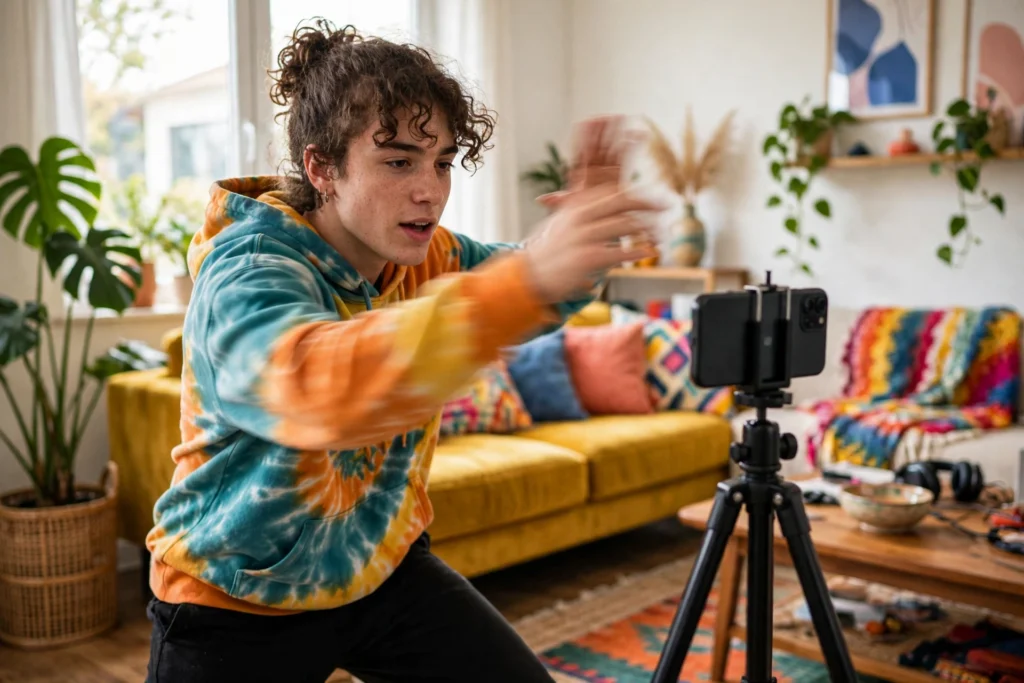
The spin uses motion blur to hide the cut. You spin out of frame in one clip and spin back in wearing something new — the blur covers the join.
- Pick a spin direction — right or left — and remember it. Clip two must spin the same way.
- Film clip one. Spin quickly on one foot until your back faces the camera and you are a blur.
- Change your outfit or location without moving the tripod. Stand on the same mark.
- Film clip two. Start with your back to the camera, already spinning, and finish facing it with a smile.
- Join the two blurs. Cut each clip at its blurriest frame so the blurs melt together.
Beginner tip: spin fast — a slow spin shows your face mid-turn and exposes the cut.
3. The Snap (Finger-Snap) Change
You snap your fingers, and in the blink of that sound, everything changes — your clothes, the room, even the time of day.
- Frame a medium shot — waist up is ideal — with one hand raised near your face.
- Film clip one. Snap clearly on camera, then freeze half a second with your hand still raised.
- Change your look and return to the exact same spot, hand raised in the same place.
- Film clip two. Start with your hand raised, snap again, then lower it and react — smile or shrug.
- Cut on the snap. Trim both clips so the join lands exactly on the snap sound.
Beginner tip: add a “whoosh” sound effect at the cut, and open with a strong line — our Instagram Reels hooks for 2026 will help.
4. The Outfit Change (The “Drop and Swap”)
This is the transition behind a thousand fashion reels. Hold an outfit in front of the camera, drop it, and when the clothes fall away, you are wearing them.
- Hold the outfit in front of you so it covers your body completely in the frame.
- Drop the clothes. Let them fall straight down, out of frame, while you stay perfectly still.
- Put the outfit on and stand in the exact same spot, in the exact same pose.
- Film clip two from that same still pose, then move — adjust a sleeve, smile, turn slightly.
- Cut as the clothes leave the frame. Done right, it looks like the clothes landed on you.
Beginner tip: use a plain background. For ready-made structures, try these Instagram Reels templates for 2026.
5. The Whip Pan
The whip pan is the most dramatic transition here, perfect for travel, room tours, and before-and-after reels. Swing the camera to one side, and when it swings back, the world has changed.
- Hold the phone in your hand — no tripod for this one. Frame your first location.
- Film clip one. Whip the phone to the right as fast as you can, ending in total blur.
- Move to your second location — a different room, outdoors, anywhere clearly different.
- Film clip two. Start mid-whip from the right and settle on the new scene.
- Join the two blurs. Cut each clip at its blurriest frame. The blur hides the location change completely.
Beginner tip: whip the same direction both times — a mismatch feels “off” even if viewers cannot say why.
Common Mistakes Beginners Make
Moving the camera between clips is the biggest error — even a tiny nudge breaks the illusion. Changing light is next: film both clips back to back within a minute or two, or a passing cloud will make the two halves mismatch. Cutting too late exposes the trick — the cut must land exactly on the blur, the snap, or the jump’s peak, so trim frame by frame. And never stack five transitions in one reel: one clean transition beats five messy ones.
A 15-Minute Practice Routine
Fifteen focused minutes, three times a week, is enough. Minutes 1–5: pick one transition and film it three times without editing — just practise the movement until it feels automatic. Minutes 6–10: cut your best take, trimming frame by frame until the join disappears. This is where the skill lives, so do not rush it. Minutes 11–15: watch the finished clip three times — once for the transition, once for framing and light, once as a first-time viewer. Note one thing to fix next time, and stop.
AI tools can help with trimming and captions — our roundup of the best free AI tools for making Reels in 2026 covers the ones worth trying. For Instagram’s own guidance, the official Instagram Help Center is the most reliable place to check.
Conclusion: Start With One Transition Today
You do not need five transitions. You need one — done cleanly, filmed in good light, cut on the exact right frame. Film the jump cut today with the phone you already own. Within a week, the movement will feel natural, the cut will feel invisible, and the simple instagram reels transitions 2026 tricks in this guide will make your reels look like they were made by someone who knows exactly what they are doing.

Dr Vivek Garg runs drviram.in — a tech blog about AI tools, apps, and online earning. Every guide here is tested hands-on before it is published.